Third-party web viewers are the safest method because they operate entirely outside the Instagram app and require no login.
Telegram bots like @instagent_bot offer a highly secure mobile alternative, fetching public stories directly into an encrypted chat.
The Airplane Mode trick still works for private accounts you follow, but you must force-close the app before reconnecting to the internet.
If you accidentally view a story, you can erase your digital footprint by immediately blocking the creator for 24 hours.
How to View Instagram Stories Without Being Seen
In our testing, the most reliable way to watch IG Stories anonymously is by using external web viewers or dedicated Telegram bots. These tools scrape public data without connecting to your personal account. While the classic "Airplane Mode" trick still works, a common trap users fall into is reconnecting to Wi-Fi too quickly, which instantly sends a view receipt to the creator.
| Viewing Method | Anonymity Level | Best For | Requires IG Account? |
|---|---|---|---|
| Third-Party Web Viewers | 100% Safe | Desktop & Quick Lookups | No |
| Telegram Bots | High | Mobile Users & Frequent Checks | No |
| Airplane Mode Cache | Medium Risk | Private Accounts You Already Follow | Yes |
Method 1: The Telegram Bot Bypass (Best for Mobile)
If you prefer a native app experience, we found that Telegram bots offer a highly secure workaround. They pull the media files directly into an encrypted chat interface, masking your IP address completely.
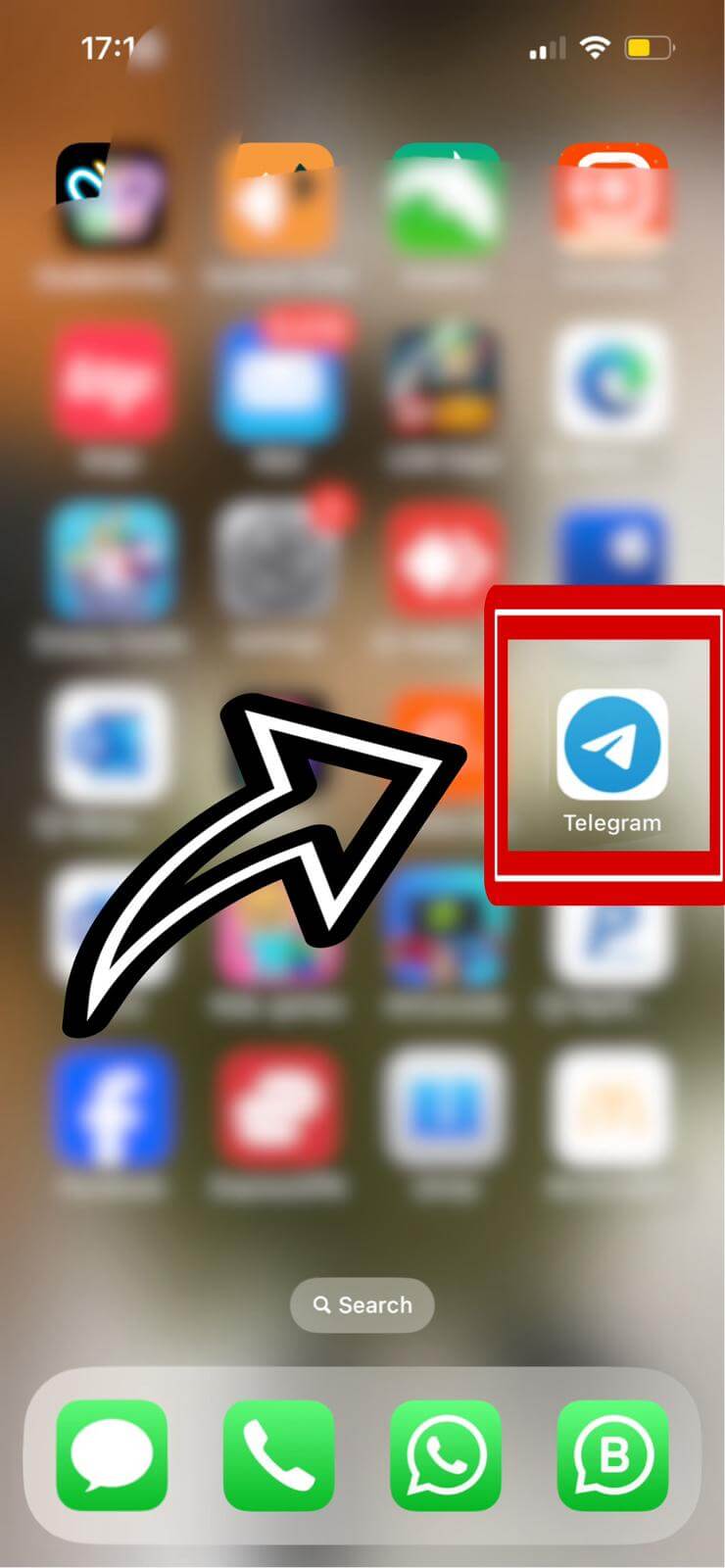
- Open Telegram: Launch the messaging app on your device.
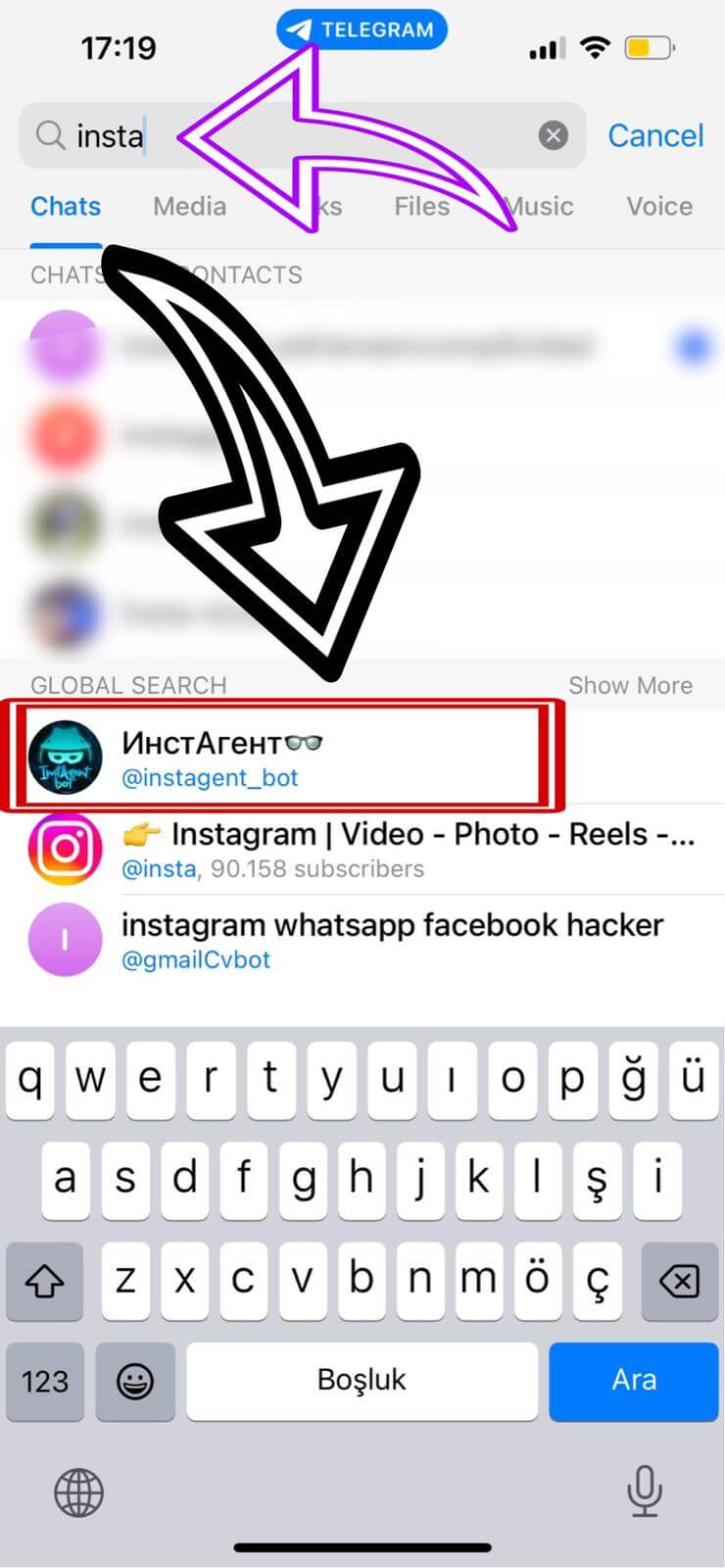
- Find the Bot: Use the search bar and type "insta" to locate a highly-rated bot like @instagent_bot.
- Accept Permissions: Start the chat and agree to the basic prompts so the bot can fetch media.
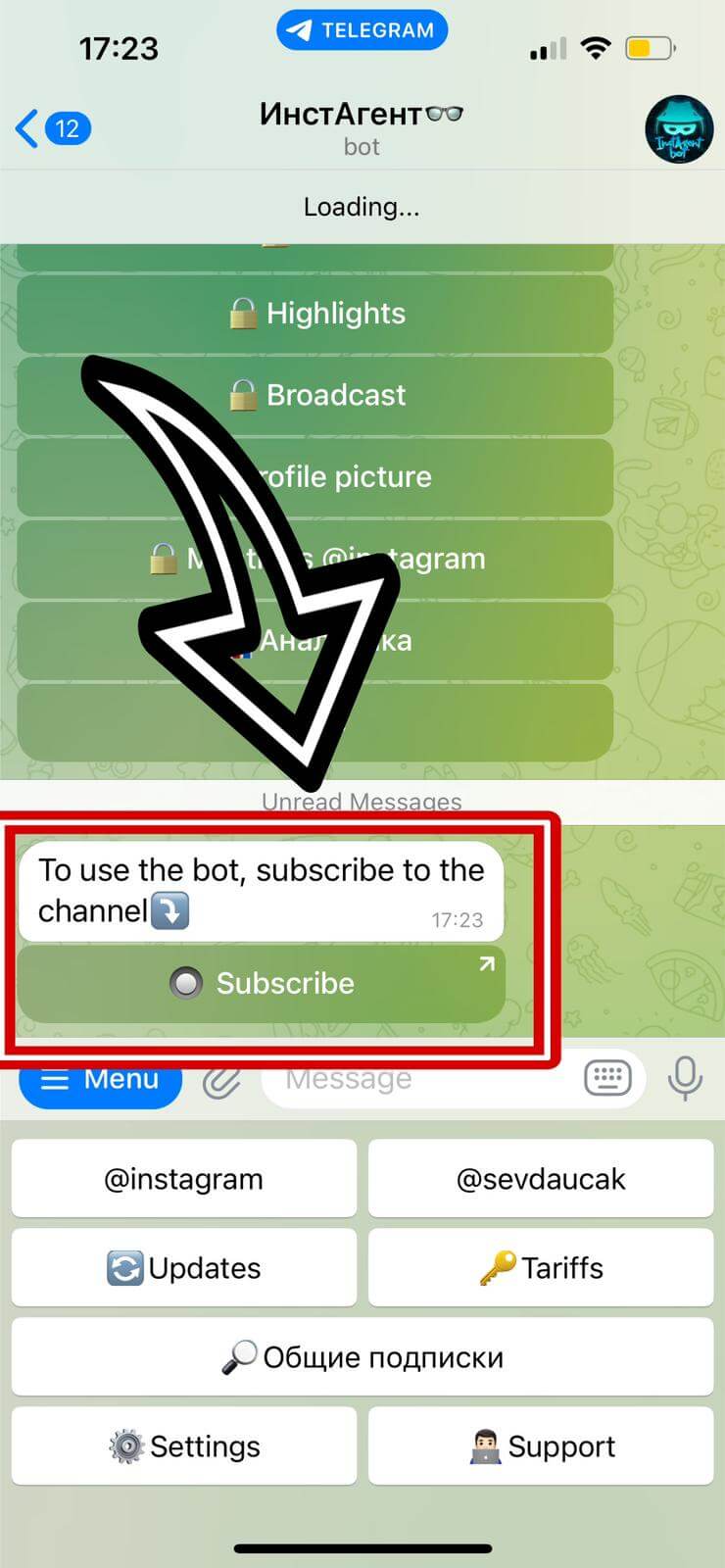
- Enter the Username: Type the exact Instagram handle of the account you want to view.
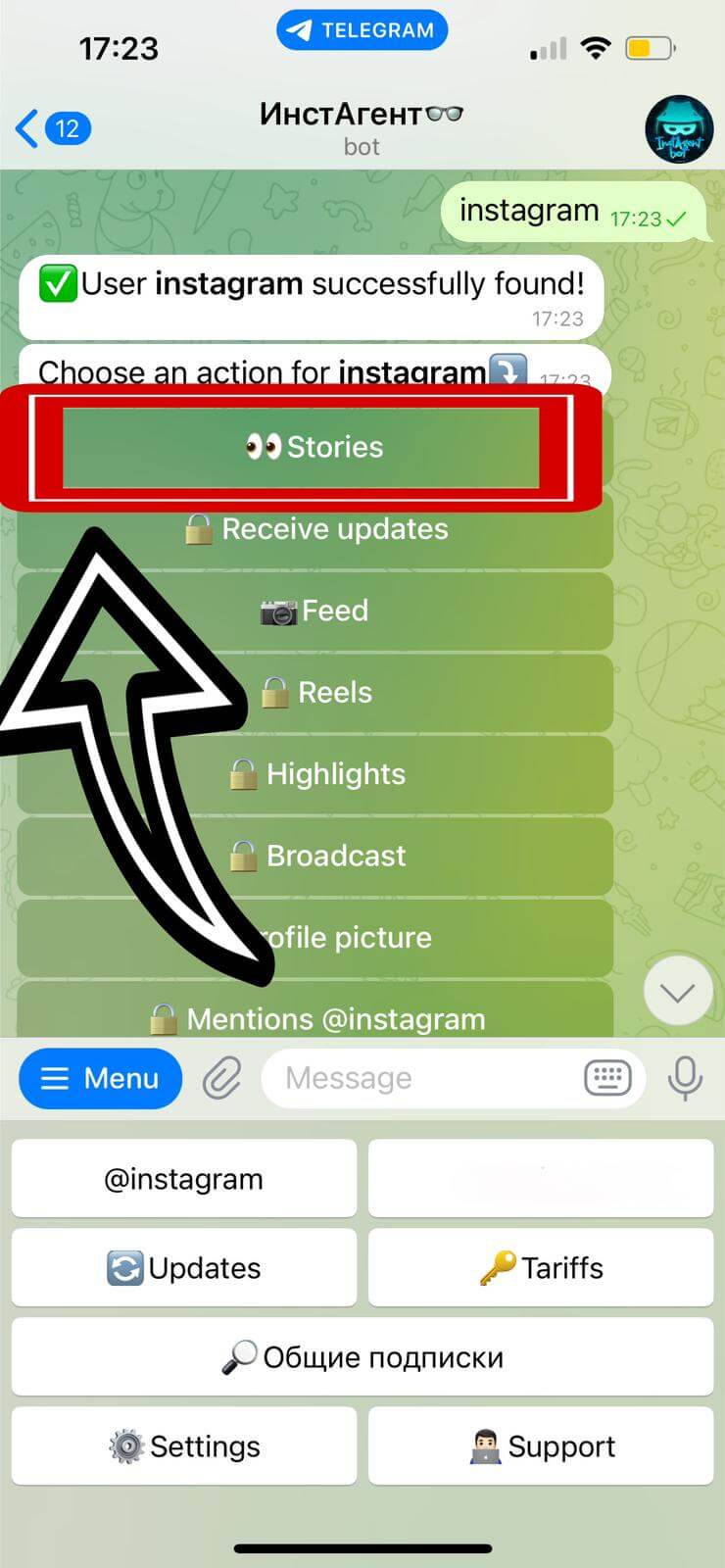
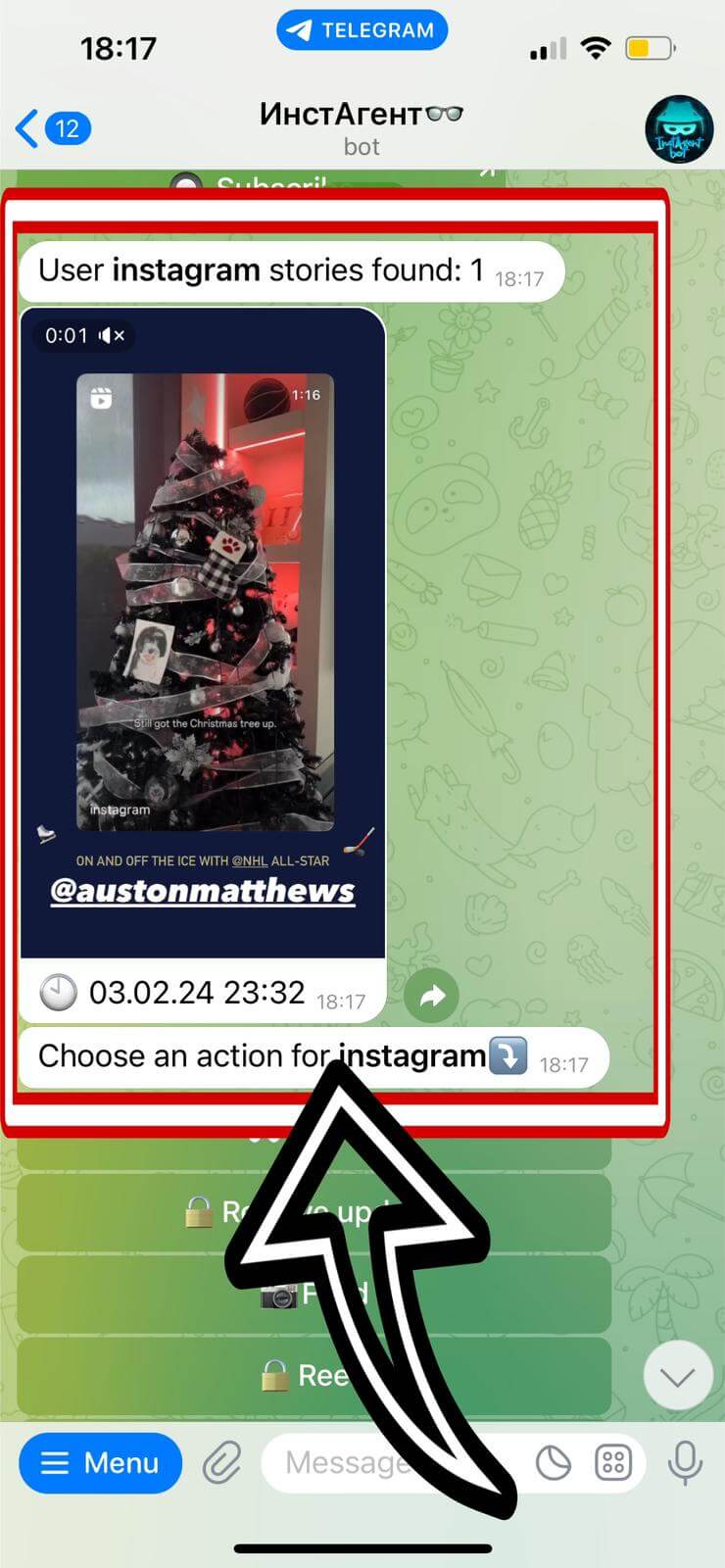
- View the Stories: The bot will download the active 24-hour stories as video or image files directly into your chat.
Method 2: Third-Party Web Viewers (Safest Route)
The absolute safest method requires stepping outside the Instagram ecosystem entirely. Websites like InstaNavigation or AnonIGViewer interface directly with the Instagram API. Because you never log in, there is zero risk of an accidental view.
Simply navigate to a reputable viewer site, type the target handle into the search bar, and click on their profile picture to watch active stories.
Method 3: The Airplane Mode Trap
This is an older exploit, but it allows you to view stories from private accounts you already follow. When you open the Instagram app, it automatically pre-loads the first few stories in your top feed to reduce buffering.
- Open Instagram and let the feed load for two minutes to cache the data.
- Swipe down your control center and activate Airplane Mode. Disable Wi-Fi completely.
- Tap the target story and watch it safely offline.
The Emergency Fix: Erasing Accidental Views
If you slip up and accidentally tap a story while logged into your personal account, there is a narrow window to fix it. Navigate straight to the user's profile and Block them. Blocking immediately severs all data ties, erasing your name from their viewer list. You must wait a full 24 hours for the story to expire before unblocking them.