Try backup codes first, then use Try another way inside Instagram before changing devices or numbers repeatedly.
If you still have a logged-in session on another phone or browser, generate new backup codes before logging out.
Use the hacked or recovery flow only when the normal login path fails and be ready for identity verification.
Do not disable security in panic; document your email, phone, username, and last known login device before starting recovery.
After access is restored, switch to an authenticator app and store backup codes offline in two separate places.
Losing your Instagram two-factor authentication code feels small for about ten seconds. Then it turns into a real lockout. You still know your password. The account is still yours. But without the right recovery path, you can sit outside your own profile for days.
Quick answer: If you lost your Instagram 2FA code, start with backup codes or any device where you are still logged in. If that fails, use Instagram's built-in Try another way, login help, or account recovery flow. In harder cases, Instagram may require identity checks such as a video selfie before access is restored.
What does it actually mean to lose your Instagram security code?
Users say this in a few different ways. They might mean they lost the SMS code, lost access to the authenticator app, changed phones, broke the device that generated codes, or never saved their backup codes in the first place.
Those situations are related, but they are not identical. The right fix depends on which second factor you lost and whether you still have access to any trusted session.
| Situation | Best First Move | Recovery Difficulty |
|---|---|---|
| You saved backup codes | Use a backup code at login | Low |
| You are still logged in on another device | Generate new backup codes before logging out | Low |
| You lost your phone number but still know your password | Use Try another way or a logged-in device | Medium |
| You lost access to your authenticator app | Check another device, cloud restore, or backup codes | Medium |
| You have no codes, no trusted device, and no active session | Start Instagram account recovery and prepare for identity checks | High |
Start here: the fastest recovery paths in order
When people panic, they jump between phones, VPNs, browsers, SIM cards, and email addresses. Bad move. Recovery works better when you follow a clean sequence and avoid creating extra trust issues.
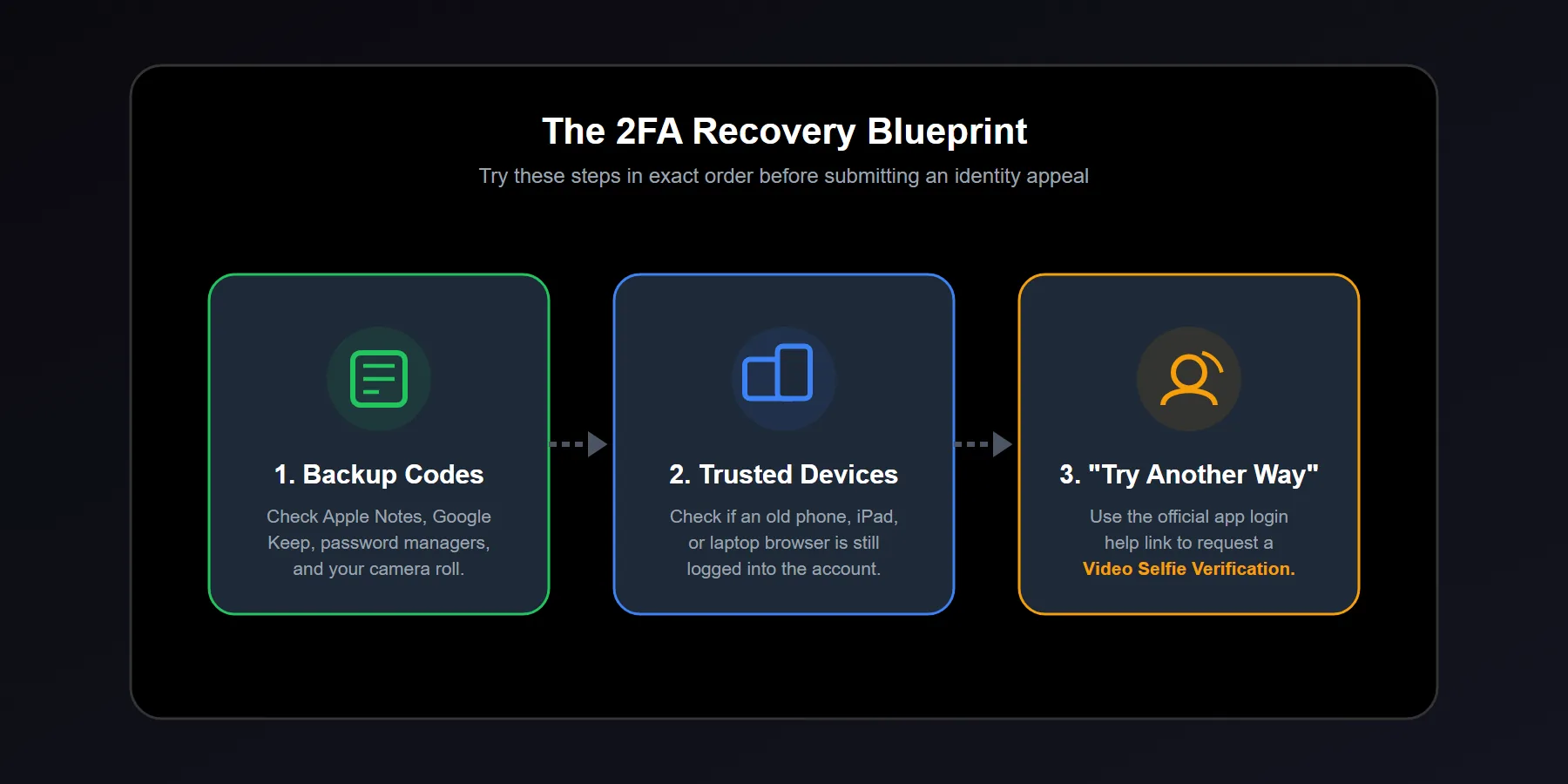
1) Check for backup codes first
Instagram lets users generate backup codes for emergencies exactly like this. If you saved them in your password manager, notes app, email draft, cloud vault, or printed copy, this is usually your fastest exit.
Each code is typically one-time use. Once you regain access, generate a fresh set immediately.
2) Look for any device where you are still logged in
This matters more than most guides admit. In our experience, the cleanest recoveries happen when the user still has one trusted session open on another phone, tablet, or browser.
If you find one, do not log out. Go straight into your security settings, generate new backup codes, confirm your phone and email are current, and only then clean up your 2FA setup.
3) Use Instagram's built-in login help and Try another way flow
If you are locked out on the login screen, use the in-app recovery steps rather than random blog links. Enter your username, email, or phone number, then follow the prompts for alternate recovery options.
The key phrase here is simple: Try another way. That option can surface different recovery routes depending on your account history, device trust, and what contact methods are still available.
Lost SMS codes vs. lost authenticator app access
These are not the same problem. Users mix them up constantly, and that confusion wastes time.
If you lost SMS access
Your old number may be inactive, recycled, or stuck in another country. In that case, backup codes or a logged-in device become your best path. If you have neither, move into official account recovery.
If you lost your authenticator app
You may still have a recovery path if the app was cloud-backed up to your new phone, tablet, or old device. Check that before assuming the codes are gone forever. Many authenticator apps can be restored if you set them up correctly before the phone change.
What if you have no backup codes and no trusted device?
This is where recovery gets serious. You are no longer solving a convenience issue. You are trying to prove to Instagram that you are the legitimate account owner.
That usually means the process shifts from login assistance to identity-based recovery. Depending on the case, Instagram may ask for a verification step such as a video selfie or other account-confirmation flow.
Can Instagram ask for a video selfie?
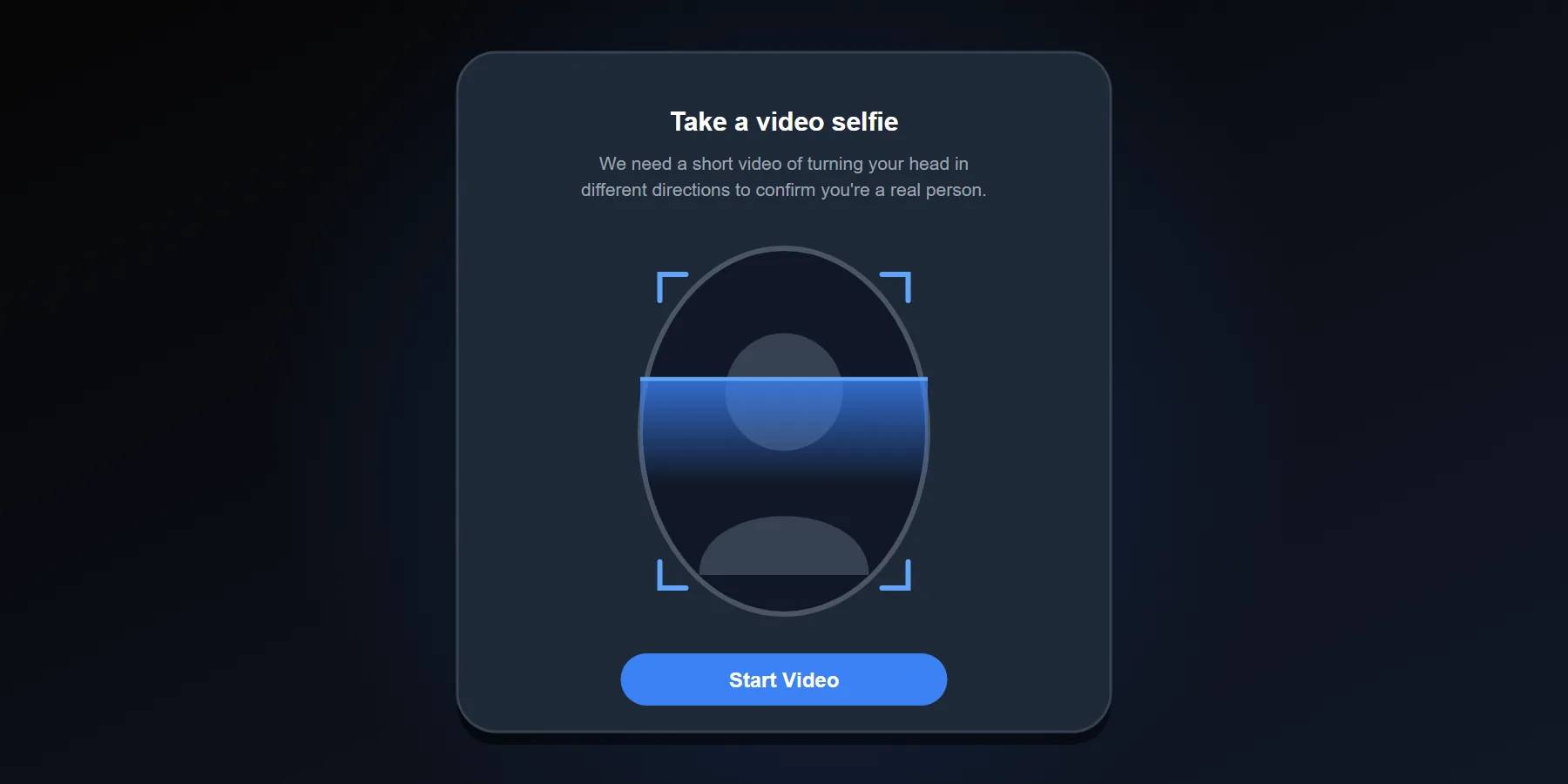
Yes. In tougher lockouts, Instagram may ask for a video selfie to help confirm identity. That request usually appears when the platform needs stronger confidence that the real owner is attempting to recover the account.
This does not mean the account was hacked. It means the normal trust signals were not enough.
Why do people get trapped in the 2FA loop?
Because they fix the wrong layer. They reset the password but forget that two-factor still blocks the login. Or they change their phone but never migrate the authenticator app. Or they enabled 2FA once, saw the backup code screen, and skipped saving it.
We have seen another pattern too. Users keep requesting codes, switching devices, and hammering the login page so aggressively that the account starts to look less trustworthy, not more.
| Mistake | What Happens | Smarter Move |
|---|---|---|
| Changing devices repeatedly | Creates noisy trust signals | Use one trusted device and one recovery path |
| Ignoring backup codes during setup | No emergency fallback | Save codes in two offline or secure locations |
| Resetting password over and over | Still blocked by 2FA | Solve the second factor, not just the password |
| Logging out of all devices too early | Loses your easiest recovery option | Check every device before signing out anywhere |
| Using only SMS 2FA | Higher failure risk after number loss | Move to an authenticator app plus backup codes |
What actually works in the field?
Not hacks. Not random scripts. Not people promising “instant unlocks.” The accounts that come back usually follow a boring pattern: one clean recovery attempt, one stable device, one honest identity trail, and no extra chaos.
In our experience working around social account access problems, users who document their recovery details before touching anything do better. That means writing down the exact username, linked email, old phone number, current phone number, last successful login device, and whether any other device is still signed in.
Make a mini recovery checklist before you start
Do this on paper or in a local note. Keep it simple.
- Your exact Instagram username
- Your linked email address
- Your old and current phone numbers
- Whether any browser or phone is still logged in
- Whether 2FA used SMS or an authenticator app
- Whether backup codes were ever saved
What should you avoid while recovering Instagram 2FA access?
Do not buy “bypass” services
If someone claims they can bypass Instagram two-factor security for a fee, walk away. At best, it wastes money. At worst, you hand your identity data to a scammer.
Do not switch your story during recovery
If you tell one version through email, another through support, and another through the app, you make the account look less consistent. Consistency helps. Contradictions hurt.
Do not disable security out of frustration
When you get back in, do not rush to turn everything off forever. Fix the broken setup. Do not remove your last layer of protection.
What is the best Instagram 2FA setup after recovery?
For most users, an authenticator app plus saved backup codes is the strongest practical setup. SMS can still be useful, but relying on SMS alone creates problems when numbers change, SIM cards fail, or messages are delayed.
The best setup is layered. Authenticator app first. Backup codes saved offline. Updated email and phone number. At least one trusted device under your control.
Why does this matter even for normal users?
Because account access is business continuity now. Creators lose sponsorship windows. Small businesses lose DMs and customer trust. Personal users lose years of conversations, memories, and contacts.
That is why a real recovery guide must be practical, not fluffy. The goal is not just to get one code. The goal is to rebuild a login system that does not collapse the next time you change phones.
Final recovery playbook
Check backup codes. Check any logged-in device. Use Try another way. Use official account recovery if needed. Complete identity verification cleanly. Then rebuild your security setup the right way.
That is the path that actually works. Calm steps. Clean signals. No panic clicking.








