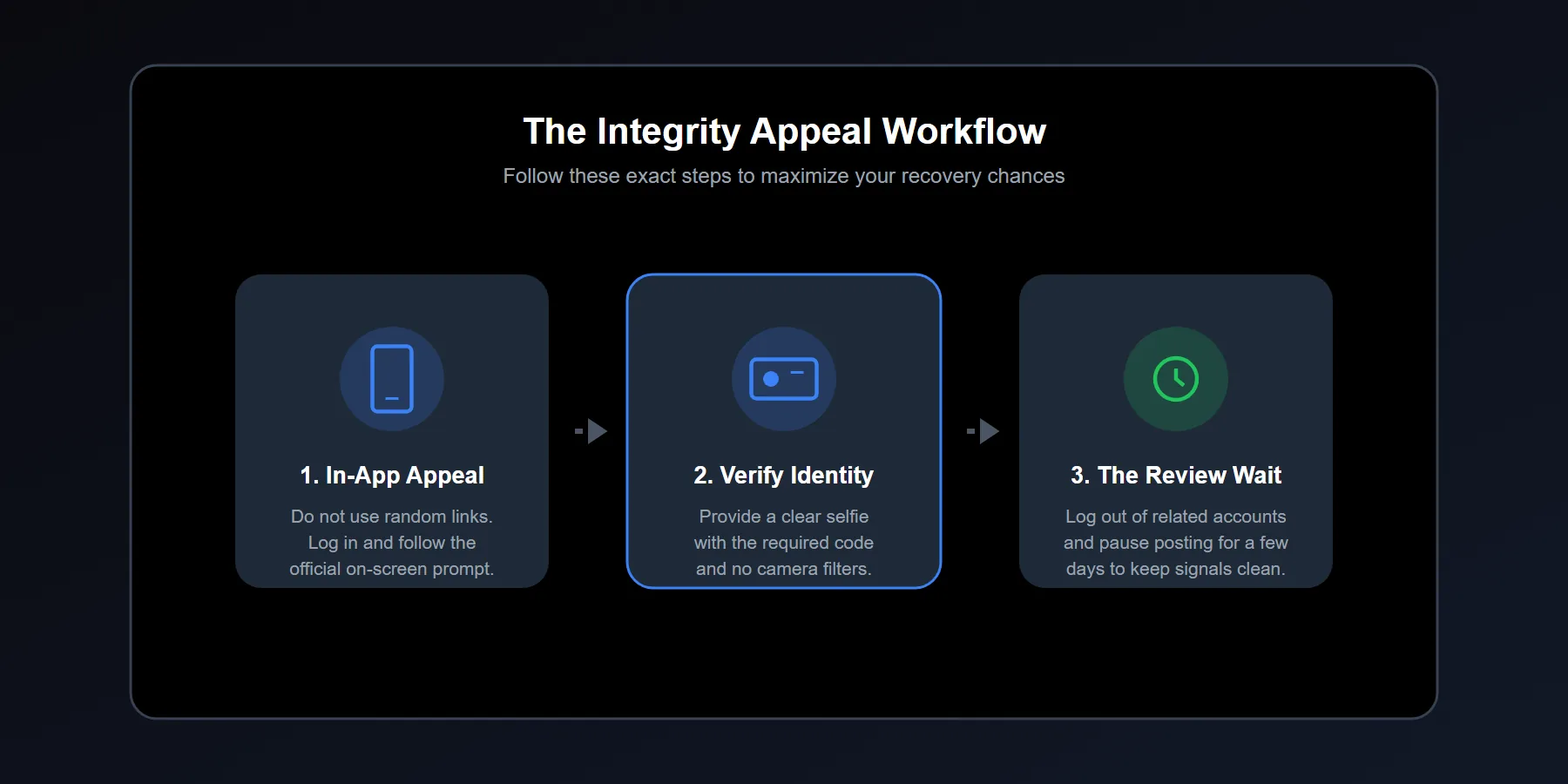
Use the in-app appeal first and complete every selfie, ID, or video verification request accurately.
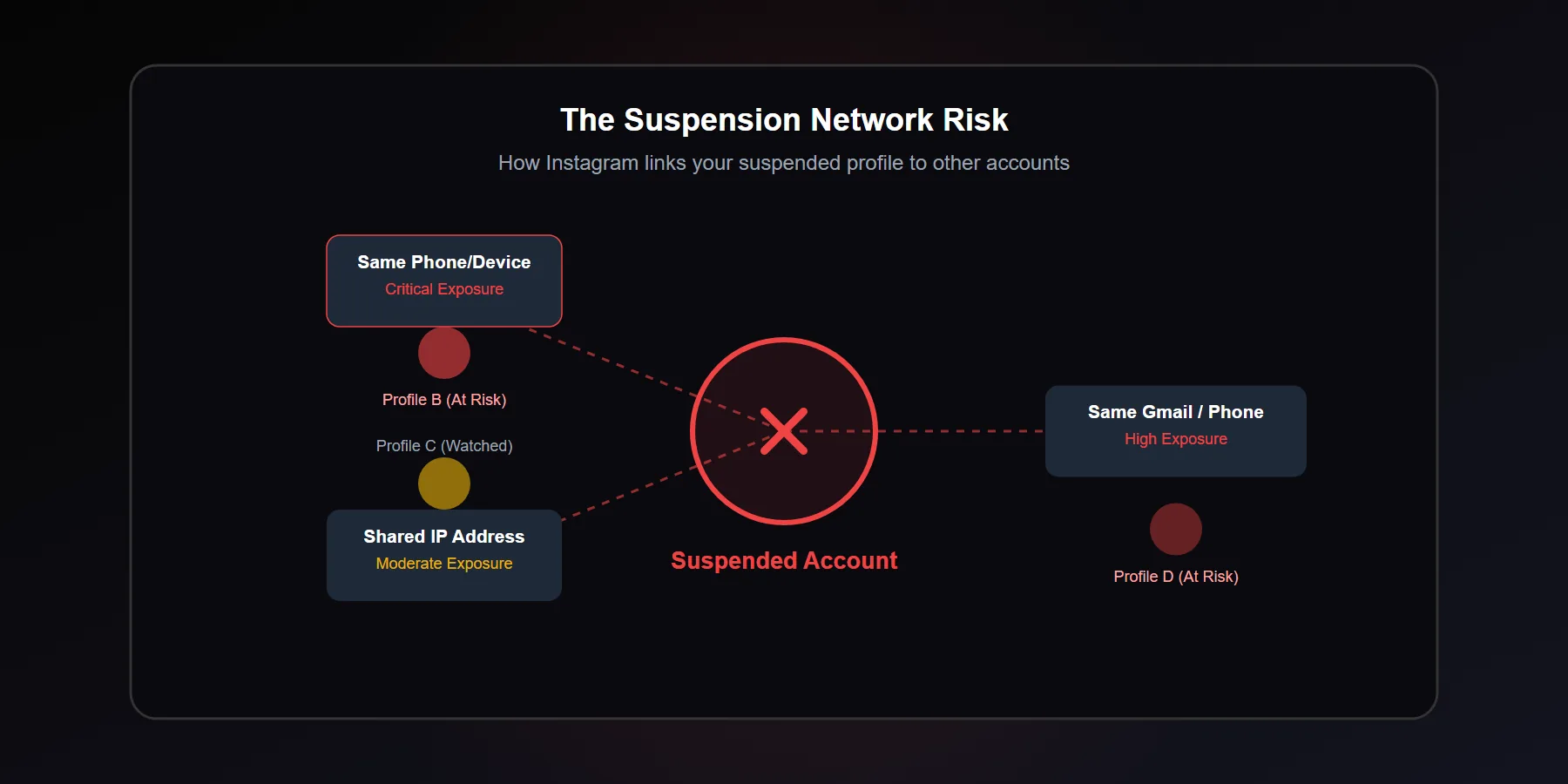
Treat linked accounts on the same device, IP, Gmail, or phone number as potentially exposed.
Pause posting and high-risk actions for several days while the review is open.
If the appeal screen is broken, try the data download path and check whether it triggers the review flow.
If you have access to Meta Verified support on a connected business asset, request a manual review politely and clearly.
Instagram does not use soft language when it suspends an account for account integrity and authentic identity. The message feels blunt because it is. One day the profile works. The next day it is gone, and the user is left trying to guess whether the issue came from a tool, a device pattern, a fake-looking signal, or a mistake in Instagram's automated systems.
Quick answer: If Instagram suspends your account for account integrity and authentic identity, the safest path is to submit the official in-app appeal, complete every verification request accurately, reduce activity on related accounts, and avoid creating new suspicious signals through shared devices, IPs, Gmail addresses, or phone numbers.
The exact English warning users see on screen
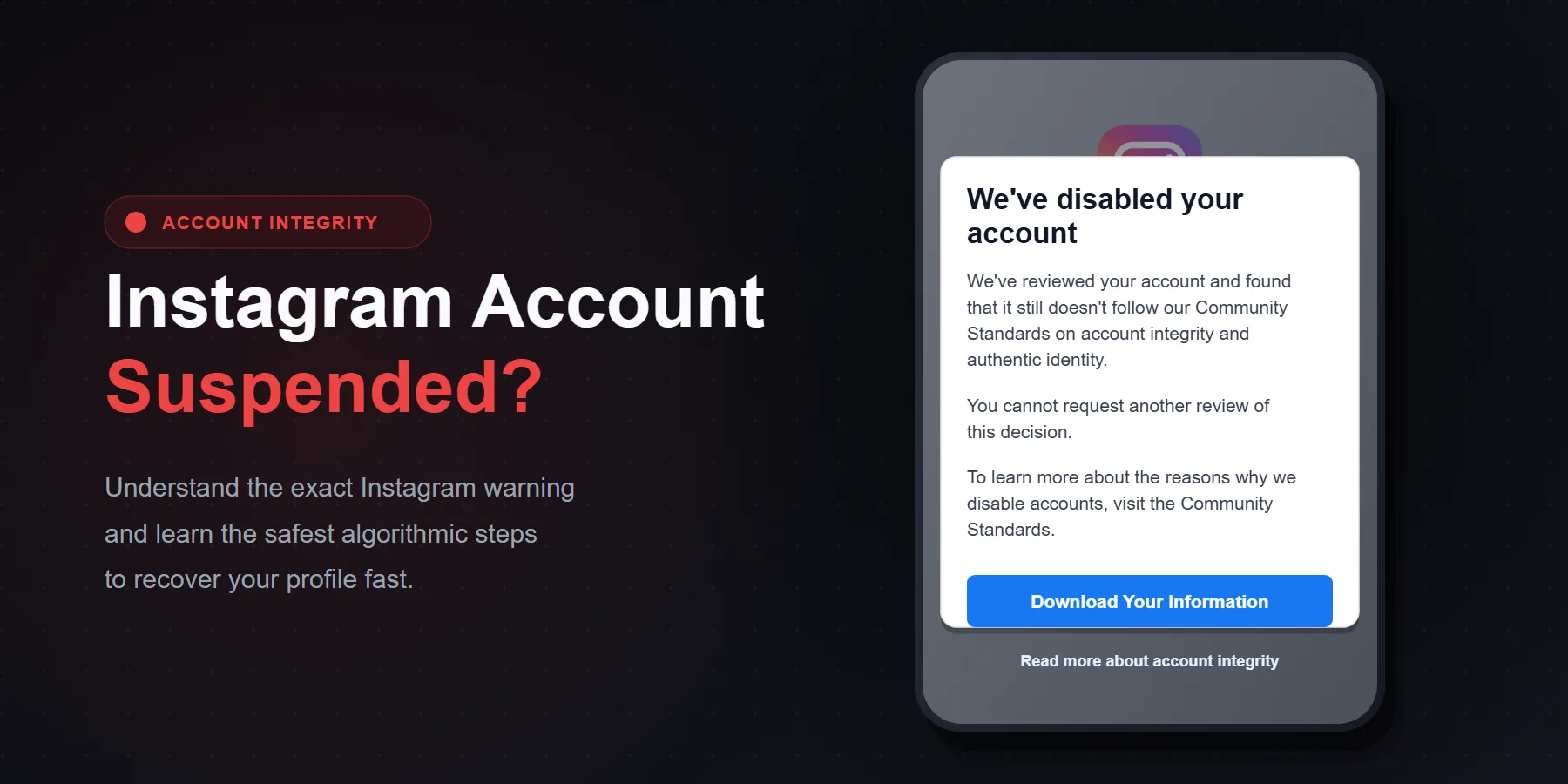
When Instagram suspends an account under this category, users commonly report seeing the same core warning text on screen:
“We suspended your account on [Date]”
“Your account, or activity on it, doesn't follow our Community Guidelines on account integrity and authentic identity.”
In some cases, users also report an extra explanatory line under it:
“This means you can't use Instagram to impersonate others, use fake information, or artificially boost your followers/likes.”
What does account integrity and authentic identity mean on Instagram?
Instagram uses this category when the platform believes the account, or the behavior around it, looks deceptive, manipulated, fake, or unsafe. That can include identity problems, engagement manipulation, coordinated account patterns, or behavior that does not look human.
It does not always mean the account owner acted with bad intent. We have seen normal users get pulled into this category after a messy login trail, reused phone numbers, linked Gmail addresses, recycled devices, or a pile of risky small actions that add up badly.
Why does Instagram suspend accounts for integrity?
Across foreign-language discussions, appeal threads, and case reports, three causes show up again and again. Different users explain them in different ways, but the pattern is consistent.
| Main Cause | What It Looks Like | Why Instagram May React |
|---|---|---|
| Artificial Engagement | Auto-like tools, SMM panels, fake growth software, unsafe analytics apps | The platform may read this as manipulation of likes, follows, views, or account trust |
| Impersonation or Fake Info | Using someone else's photos, celebrity mimic pages, fake names, misleading profile data, synthetic-looking profile images | Raises authentic identity concerns and impersonation risk |
| Bot Behavior | Mass following and unfollowing, repetitive comments, action bursts, unnatural timing | Looks automated, coordinated, or spam-driven rather than human |
That is the short version. The deeper issue is pattern stacking. One action alone might not trigger the suspension. A cluster of weak trust signals often does.
Can related Instagram accounts also get suspended?
Yes, they can. No, it is not automatic.
That is the most honest answer. If other accounts share the same phone, the same Gmail, the same IP, the same recovery number, or the same behavior pattern, those accounts may also be reviewed. Many experienced users warn that “accounts related to that profile can also be closed.” The wording is harsh, but the underlying risk is real.
Another field insight shows up often: if the same Gmail or phone number was attached to several accounts, and one account falls hard into an integrity review, the other profiles are no longer isolated.
How to fix an Instagram account integrity suspension
1) Use the official appeal button first
Start inside Instagram. Do not begin with random forms from old forum posts. If the account still shows the appeal flow, use that first and complete it with consistent details.
Keep the explanation short, direct, and truthful. Long emotional essays usually do not help.
2) Complete selfie, mugshot, or identity verification carefully
One of the most repeated solutions in foreign communities is the selfie-style verification step. Users describe being asked to send a clear photo of themselves holding a paper with a code, or to complete a face verification step through Instagram's appeal system.
If Instagram requests that step, do it cleanly. Good lighting. Clear face. Correct code. No filters. No funny angles. No rushed screenshots.
3) If the appeal screen is bugged, try the data download route
This is one of the more interesting user-reported tactics. Some suspended users say that when the standard appeal flow gets stuck, clicking Download My Data can sometimes re-trigger the account review process or unlock the next step in the suspension flow.
There is no guarantee. Still, when the normal path is frozen, this is one of the cleaner non-destructive things to test.
4) Use Meta Verified support if you have access
Among foreign users, this is often reported as the method that gets the strongest results. If you have another Facebook or Instagram profile with Meta Verified, especially one connected to the same business environment, you may be able to contact live support and request a manual review.
The framing that tends to work is simple: explain that your personal or business account may have been caught by an automated integrity or authentic identity system by mistake, and ask for a manual review. Calm language works better than aggressive language.
5) Separate risky linked accounts from the same device
This advice comes up constantly among experienced operators. If several accounts were linked on the same phone, especially when one of them is now suspended for integrity, it may be smart to sign out of related profiles and stop bouncing between them from the same environment.
That is where the field advice gets blunt: remove the suspended account from that device, sign out, and test your chance carefully. It is not an official Meta instruction. It is damage control based on signal separation.
6) Stop posting for a short cooling-off period
Another common recommendation is simple: log out where needed and do not post for about one week on exposed related accounts. The point is not superstition. The point is to avoid generating fresh behavior that looks coordinated, frantic, or evasive while a trust review may still be active.
Quiet accounts often review better than noisy ones. That is not glamorous. It is practical.
What should you avoid after this suspension?
Most failed recoveries happen because users panic and start changing everything at once. That creates more contradiction, not less.
Do not create a wave of new accounts immediately
That can make the environment look more synthetic. It also links fresh profiles to the same device and trust history.
Do not switch Gmail, phone, IP, and device every few hours
People think constant switching makes the account safer. Often it makes the behavior look less human and more evasive.
Do not run more automation
If artificial engagement or tool-based behavior played any role in the suspension, adding more third-party actions is the worst possible next move.
Do not submit five conflicting stories
Pick one truthful explanation and stay consistent across every step.
Search terms people use to research this problem globally
If you want to study global recovery discussions, users often search for phrases such as Instagram suspended account integrity and authentic identity, How to fix account integrity suspension on Instagram, and Account integrity and authentic identity Instagram appeal.
These search patterns matter because they show how the problem is discussed outside Turkish-language spaces. The wording is more specific, and that helps surface better case reports, official message screenshots, and appeal discussions.
Why this problem often hits real users too
Because automated systems do not think like people. They weigh probability. If the account looks too synthetic, too connected to suspicious accounts, too inconsistent in identity, or too aggressive in growth patterns, the model can act even when the user sees themselves as legitimate.
We have seen this with creators, small businesses, and personal users alike. A few bad tools. A few weak signals. One suspension. Then a scramble that makes it worse.
| Action | Safe or Risky? | Why |
|---|---|---|
| Submitting the in-app appeal once, carefully | Safe | Matches the official review flow |
| Uploading a clear verification selfie when requested | Safe | Supports authentic identity review |
| Contacting Meta Verified live support politely | Safer than random workarounds | May lead to human review |
| Mass-creating backup accounts on the same phone | Risky | Builds stronger account links |
| Using more automation during review | Very risky | Adds fresh manipulation signals |
| Posting heavily from related accounts immediately | Risky | Can widen exposure during a sensitive window |
Final takeaway
If Instagram suspended your account for account integrity and authentic identity, do not treat it like a random glitch. Treat it like a trust problem. Appeal through the official path, complete verification cleanly, reduce activity, and protect every other profile connected through the same device, IP, Gmail, or phone number.
That is the real recovery playbook. Not panic. Not spam. Not guesswork. Clean signals win.








