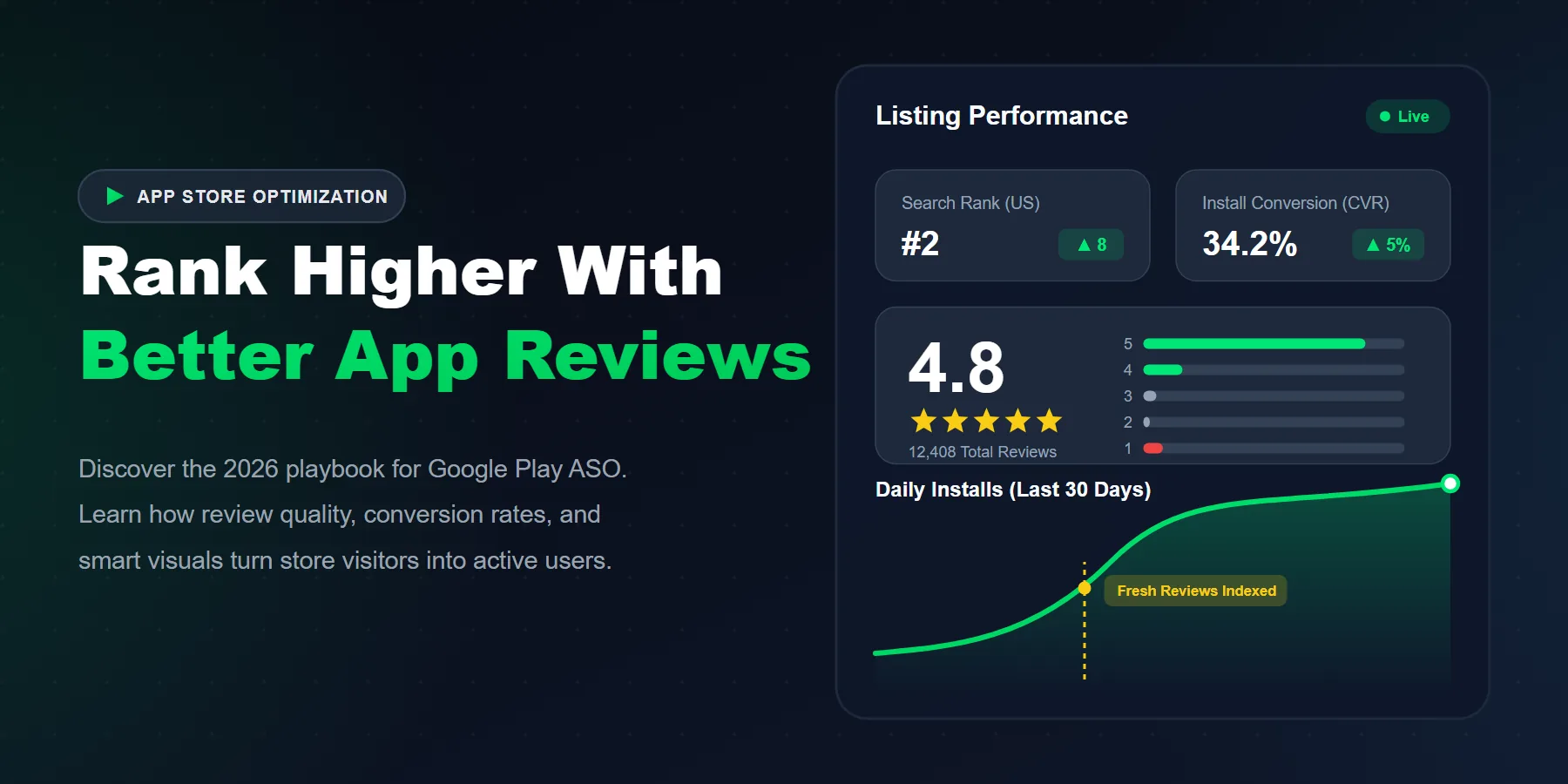
Better rankings on Google Play in 2026 come from stronger conversion signals and user retention, not outdated keyword stuffing.
Review quality, review freshness, and developer response speed directly influence how trustworthy your app looks to the algorithm and the user.
A weak store listing (bad icon, confusing screenshots) will completely waste your paid traffic because visitors bounce before installing.
The highest ASO ROI comes from improving screenshots, the in-app review flow, and keyword relevance simultaneously.
Getting an app to the top of Google Play is no longer just about publishing a decent product, stuffing the title with keywords, and waiting. That era of App Store Optimization (ASO) is permanently dead. In 2026, the apps that dominate their categories combine surgical ASO, high-converting store listings, strong user retention, and extremely healthy review signals.
We have seen highly funded, beautifully designed apps stall for months because their store listing looked generic, their screenshots were confusing, and their review section felt abandoned. The ranking problem was never just visibility. It was a complete lack of user trust.
Quick answer: To rank higher on Google Play in 2026, you need exact-match keywords to get found, but you need a high-converting listing and fresh, positive reviews to actually secure the install. Reviews do not just boost your ego; they amplify your ASO by increasing trust, which spikes your conversion rate, which tells Google's algorithm your app deserves the #1 spot.
What Is ASO on Google Play, Really?
ASO (App Store Optimization) is the process of improving every single touchpoint that influences a user's decision to discover and download your app. It is the SEO of the mobile world, but with a much heavier focus on visual psychology.
Your app title, short description, long description, icon, screenshots, star rating, review sentiment, uninstall rate, and retention behavior all function as one interconnected ecosystem. A single weak link (like a terrible first screenshot) can drag the entire system down.
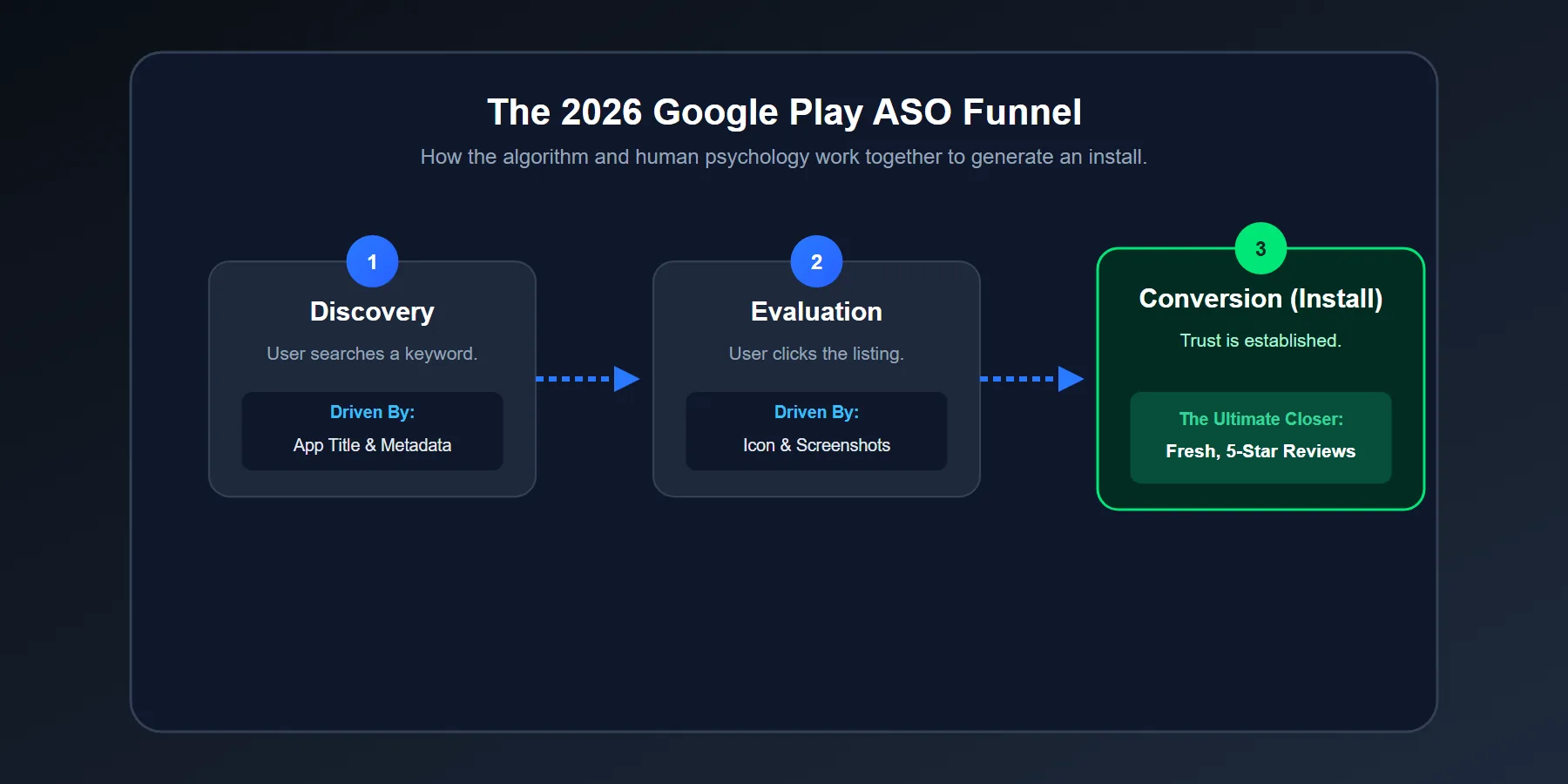
Why Do Reviews Matter So Much on Google Play?
Reviews do two massive things simultaneously. First, they shape human buyer psychology. Second, they feed Google's algorithm with powerful quality signals. That combination is the ultimate ranking multiplier.
When users land on a listing, they scan it in milliseconds. The average visitor does not read your carefully crafted 4,000-character long description. They look at the Icon, the Star Score, the first two Screenshots, and the top three Recent Reviews. Then, they make a snap decision.
Reviews Change Conversion Before They Change Ranking
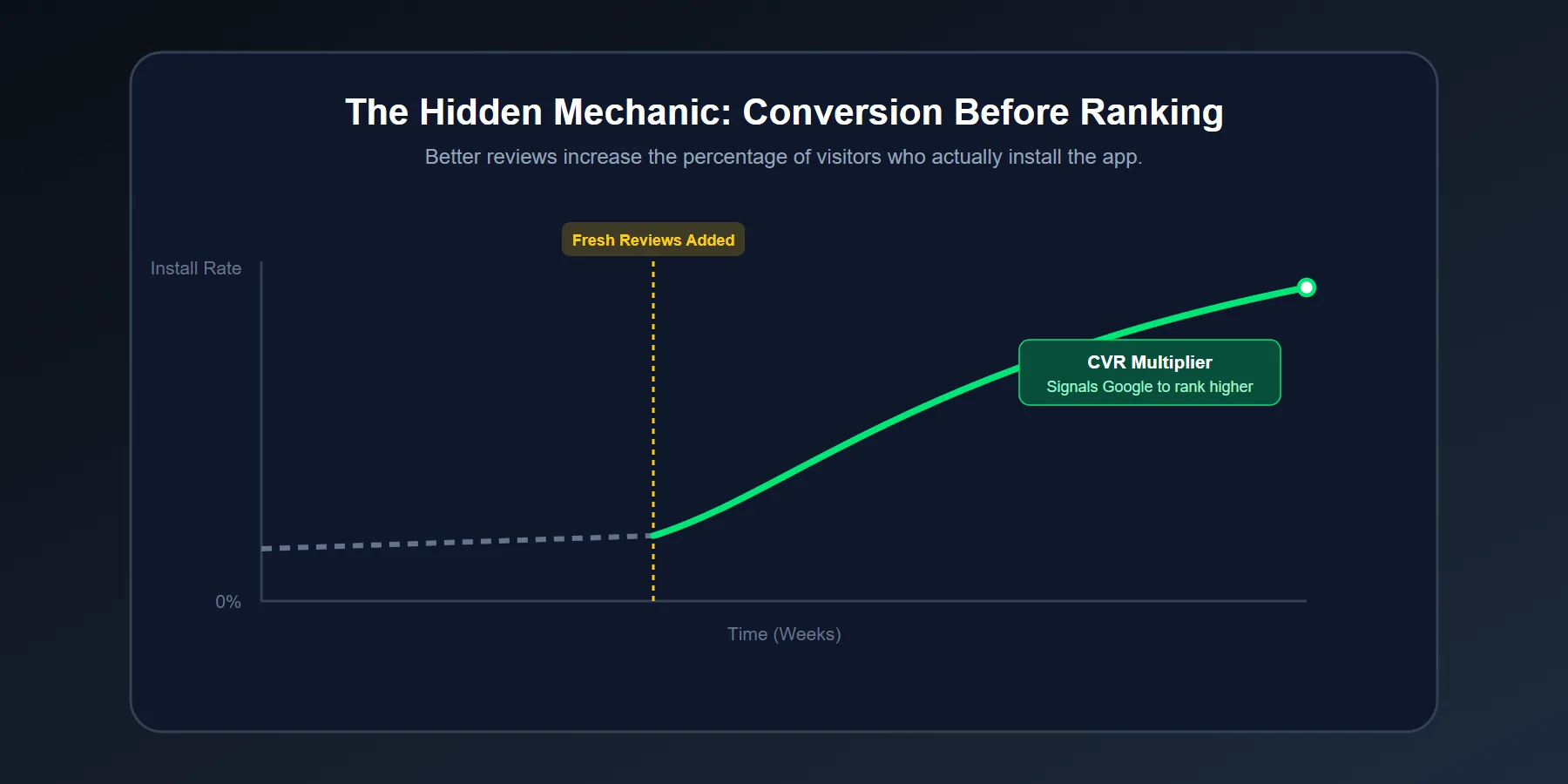
This is the mechanism most app owners completely miss: Reviews improve your ranking indirectly by skyrocketing your conversion rate first.
More visitors trust the app because the reviews look legitimate. Therefore, more of them install it. That stronger Conversion Rate (CVR) signals to Google that your app is highly relevant for the search term, giving your listing massive algorithmic momentum.
Fresh Reviews Beat Dead Review Sections
An app with 50,000 five-star reviews from 2022, but zero recent activity, feels abandoned to a modern user. Users notice dates immediately. Fresh reviews signal that the app is actively maintained, bug-free, and currently delivering value.
This freshness matters exponentially in highly competitive categories like VPNs, Photo Editors, Finance tools, and AI utilities, where user hesitation instantly kills installs.
Which Google Play Elements Move Ranking the Most?
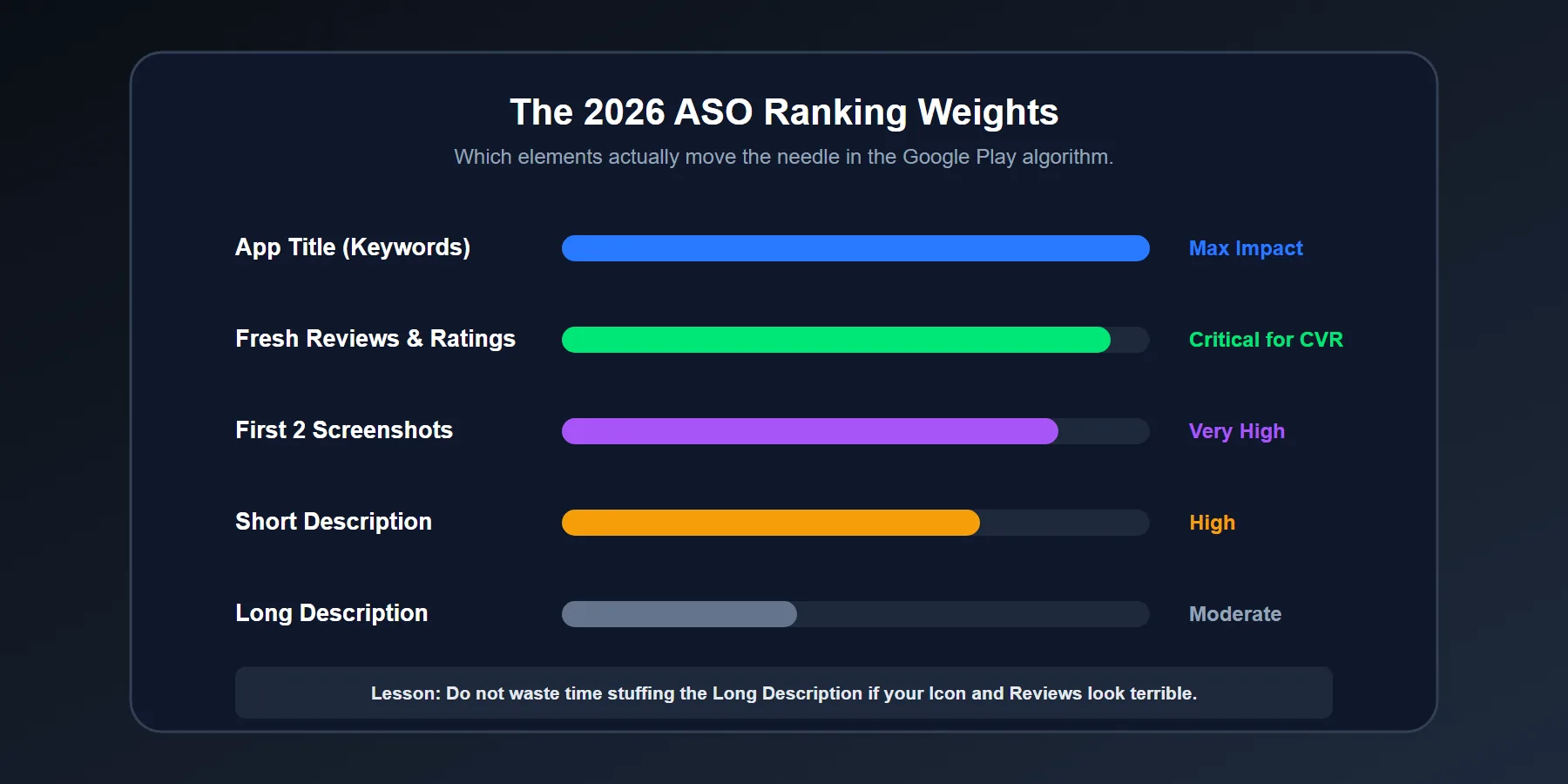
In real-world ASO campaigns, some elements create vastly outsized impacts. Not because they look important to developers, but because users react to them emotionally. We repeatedly see four areas drive the biggest wins: keyword relevance, icon psychology, screenshot sequencing, and review credibility.
| ASO Element | Main Job | Common Mistake | Growth Impact |
|---|---|---|---|
| App Title (30 Chars) | Maximum weight for search ranking. | Keyword stuffing that looks spammy. | Highest |
| Short Description | Clarify the core value proposition fast. | Using vague, corporate marketing fluff. | High |
| App Icon | Win the very first click in the search results. | Looking generic or cluttered with tiny text. | High |
| Screenshots | Increase install intent visually. | Showing boring menus instead of emotional outcomes. | Very High |
| Ratings & Reviews | Build trust and destroy user hesitation. | Ignoring negative reviews and review freshness. | Very High |
How Should You Optimize the Title and Description?
Your title should be incredibly clear, highly searchable, and perfectly aligned with what the app actually does. Do not try to be clever. Be clear. The Short Description (80 characters) should explain the absolute biggest benefit of the app in three seconds.
Use Search Language Real Users Would Type
Build your metadata around terms users naturally type into the search bar. A productivity app should not describe itself as an "Intelligent Paradigm Optimizer" if people are actually searching for "Daily Planner," "To-Do List," or "Habit Tracker."
Write for Humans First, Algorithms Second
Keyword placement matters heavily for indexing. But awkward, robotic copy lowers human trust. We have seen listings rank #2 for massive search terms, yet severely underperform in daily installs because the description felt synthetic and empty.
What Makes Screenshots Convert Better?
Screenshots must sell the result, not just display the interface. This is where 90% of store listings lose the user. They show settings menus, empty dashboards, and boring login screens, but never explain why the app will actually improve the user's life.
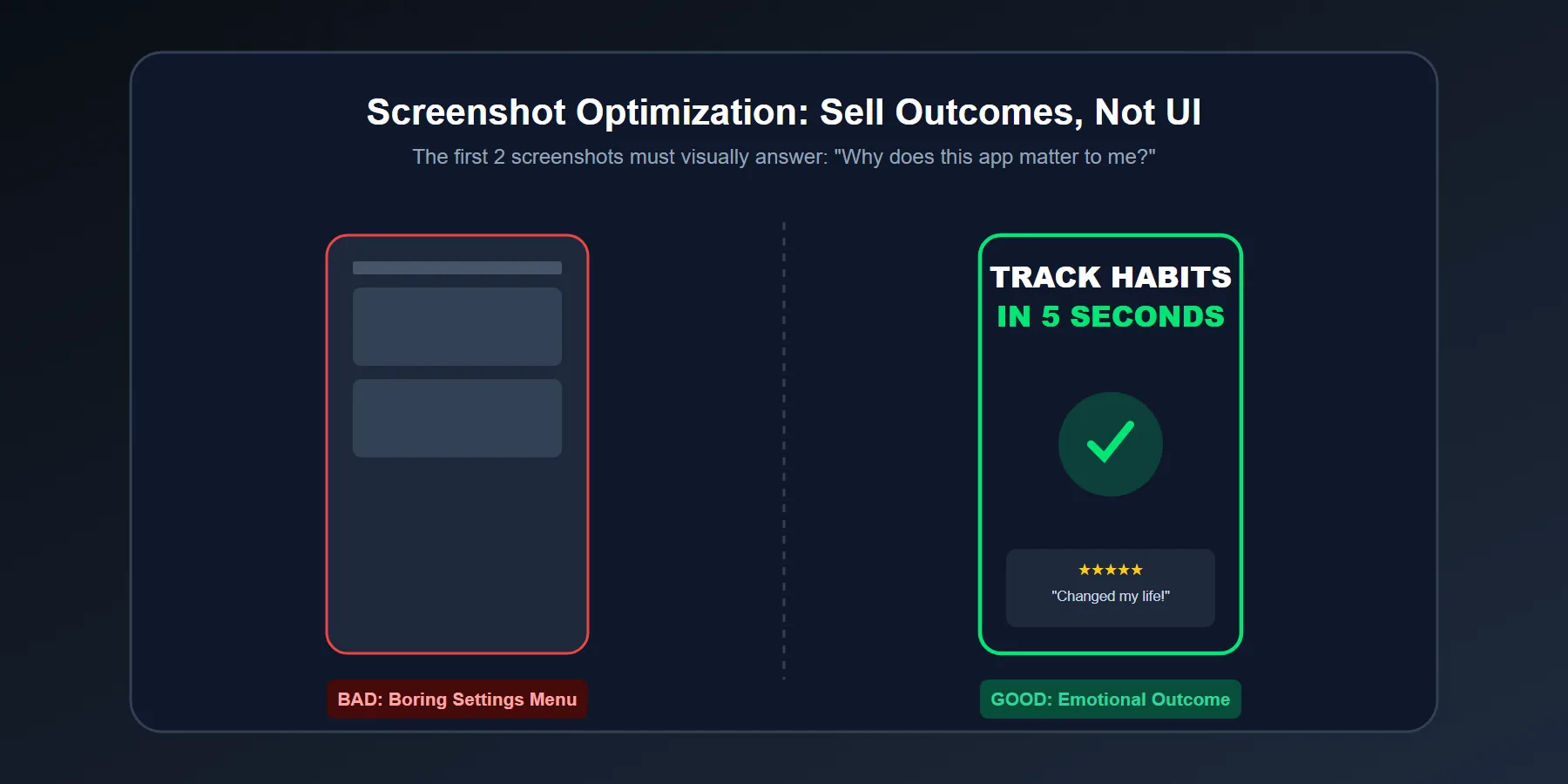
Lead With the Strongest Benefit
The first screenshot carries 80% of the weight. If that first image does not instantly answer "Why does this matter?", the user keeps scrolling. Think benefit first: Speed. Savings. Safety. Better sleep. Flawless edits. Whatever matters most to your specific audience.
Show Emotional Outcome, Not Just UI
People install apps based on emotional logic long before they justify the download with technical features. A finance app sells the feeling of control. A meditation app sells relief from anxiety. When your bold, highly-readable visual captions make that outcome obvious, your conversion rate spikes.
How Do You Get Better Reviews Without Looking Pushy?
Timing is everything. In-app review prompts fail aggressively when they interrupt the user too early (e.g., asking for 5 stars immediately after they open the app for the first time). They work beautifully when triggered after a positive "Success Moment."
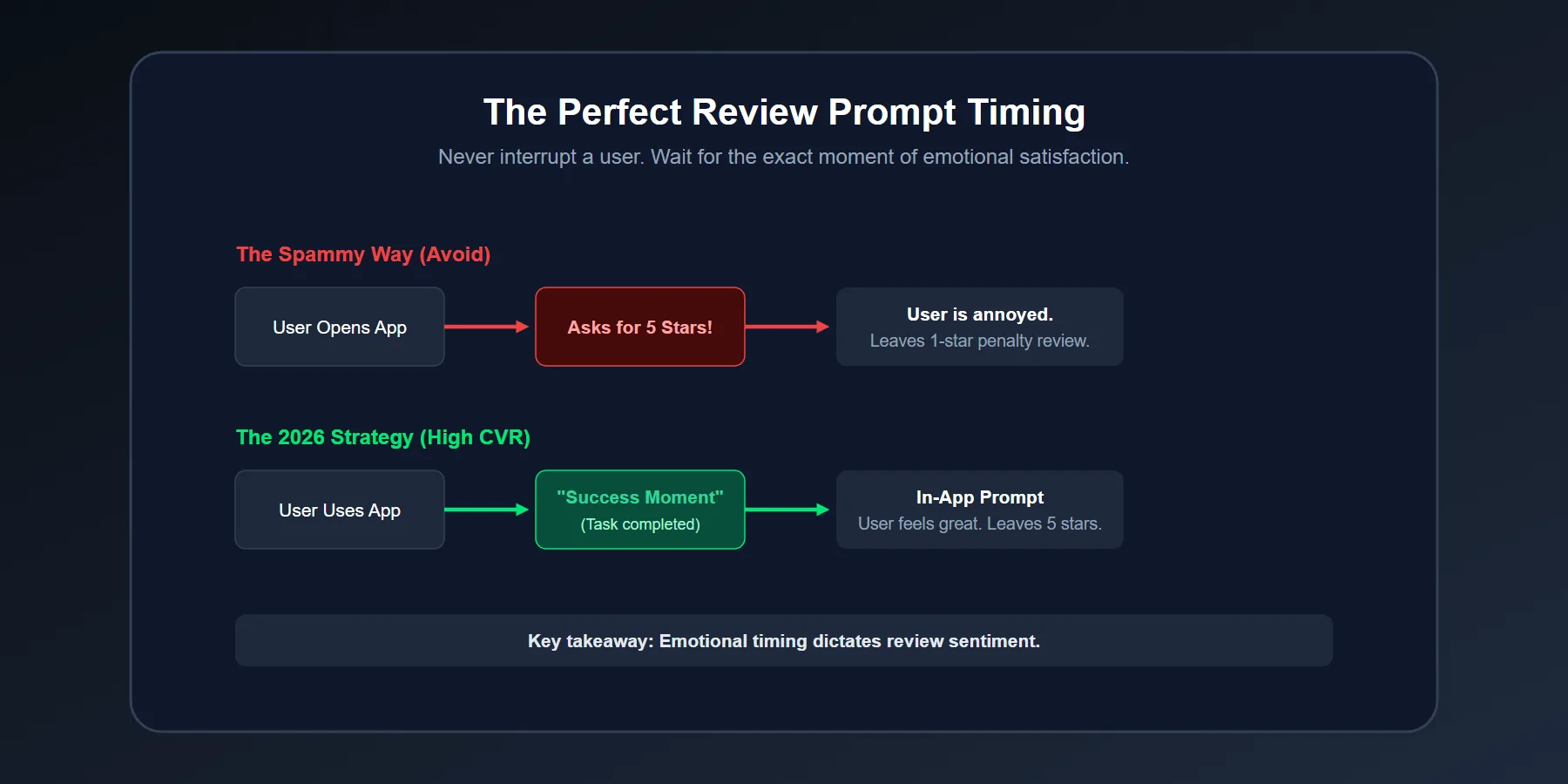
Ask After a Success Moment
The absolute best time to trigger the Google Play In-App Review API is right after the user experiences undeniable value. That could be after successfully exporting a video, finishing a 5-day workout streak, or saving $50 on a booking. The user's emotional state is at its peak, and the likelihood of a 5-star rating skyrockets.
Filter Friction Before It Turns Into Public Complaints
If a user is frustrated or just experienced an app crash, do not push them straight into the public Google Play rating prompt. Give them an internal "Contact Support" path first. Excellent issue handling privately protects your public review profile and dramatically improves long-term retention.
What Does a Winning 2026 ASO Workflow Look Like?
You cannot fix everything blindly. Start with search intent (Keywords). Then fix the listing visuals (Screenshots/Icon). Then improve your review collection timing (In-App Prompts). Finally, measure your install rate and retention by update cycle.
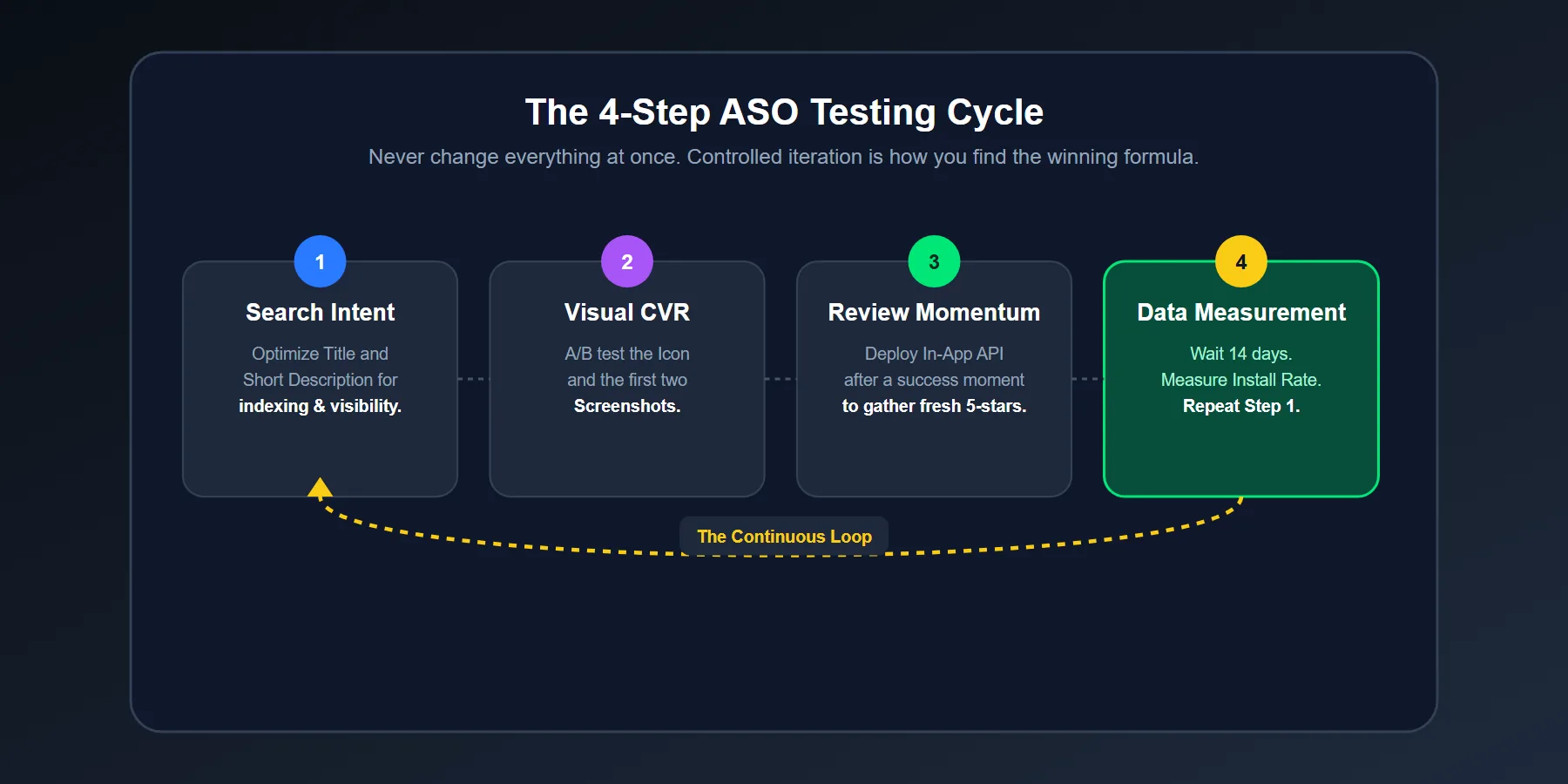
Test One Major Variable at a Time
Change the Icon, OR change the first Screenshot, OR rewrite the Short Description. Do not change all three simultaneously. If you do, you will have absolutely no idea which change actually caused the 15% increase (or decrease) in installs. Use Google Play Console's native A/B testing tool religiously.
Watch Review Language for Conversion Clues
Your reviews tell you exactly what your users actually value. Pay deep attention to repeated phrasing. If users keep praising your app's "clean interface" or "battery savings," those exact phrases should instantly become the bold text on your screenshots.
Final Verdict: Can Reviews Actually Push Your App to the Top?
Yes, but not by magic. Reviews push your app to the top because they exponentially strengthen credibility, which maximizes your listing conversion rate, which ultimately proves to Google that your app is the absolute best answer to the user's search query.
If you want your app to dominate Google Play in 2026, stop treating ASO merely as a metadata task. Build a visual listing that converts. Code a product that genuinely satisfies. And architect an in-app review flow that captures real user momentum at the perfect time. That is how rankings are won, and more importantly, how they are kept.








