The 'This account is not allowed to use WhatsApp' error is an automated trust penalty, not a technical glitch.
Mass messaging, using unofficial modified apps, and receiving sudden user reports are the primary triggers for an immediate ban.
Reinstalling the app endlessly or trying third-party unban tools will flag your device further and turn a temporary restriction into a permanent ban.
Appealing through the official in-app review process with a calm, factual explanation is the only secure way to recover a restricted number.
Once recovered, businesses should stop sending unsolicited bulk messages and shift to official WhatsApp Channels for broadcast communication.
You tap the familiar green icon, expecting to see your chats. Instead, you are met with a stark, immovable roadblock: "This account is not allowed to use WhatsApp." No warnings. No detailed explanations. Just a locked screen separating you from your friends, family, or worse—your customers. The immediate reaction is usually a mix of panic and confusion. Did you get hacked? Is the app broken?
The hard truth is that this is not a bug. It is a deliberate, algorithmic intervention. WhatsApp’s automated systems have flagged your number for behavior that violates their Terms of Service or degrades the platform’s trust score. The good news? Many of these bans are reversible. The bad news? Reacting impulsively is the fastest way to make the ban permanent.
What Does This Restriction Actually Mean?
When you see the "Not Allowed" message, it means your phone number has been stripped of its access rights on the WhatsApp network. WhatsApp employs sophisticated machine learning algorithms designed to detect spam, scams, and automation. To protect its billions of users, the system operates on a "shoot first, ask questions later" mentality.
If your account metrics cross a certain risk threshold, the system immediately suspends you. It is a protective measure. Understanding that you are dealing with a machine—not a human moderator—is the first step to executing a successful recovery.
Is the Ban Permanent?
Not necessarily. While the wording feels incredibly final, many users who encounter this screen are only facing a temporary suspension or a "pending review" status. The permanence of the ban depends entirely on the severity of the trigger.
If you were caught distributing malicious links or running massive bot farms, the ban is likely permanent. However, if you simply forwarded a message too many times, used a third-party app out of curiosity, or got caught in a false-positive spam sweep, there is a very high probability that an official appeal will restore your access.
The Three Primary Triggers for a Ban
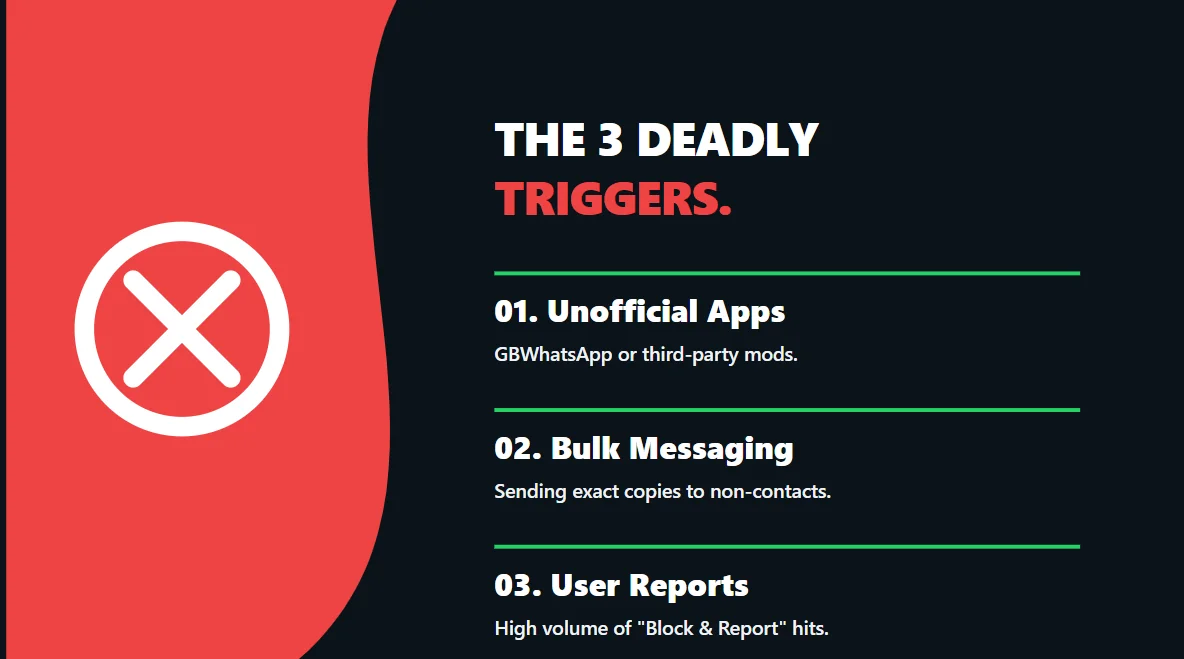
To fix the issue, you must identify what caused it. WhatsApp’s algorithm usually drops the hammer for one of three reasons:
1. Using Unofficial or Modified Apps
Apps like WhatsApp Plus, GBWhatsApp, or other modified clients promise extra features but carry a massive risk. WhatsApp actively detects the signature of these third-party apps and will systematically ban numbers associated with them to prevent security breaches.
2. Unsolicited Bulk Messaging (Spam)
If you send identical messages to dozens of people who do not have your number saved in their address book, the algorithm immediately flags you as a spammer. Furthermore, if a high percentage of recipients use the "Report and Block" button, your account trust score plummets instantly.
3. Automation and Scraping
Using scripts to automate account creation, extract user data, or send automated replies (outside of the official WhatsApp Business API) violates core policies. The system is highly adept at recognizing non-human interaction speeds.
The Safe Recovery Protocol
Desperation leads to mistakes. If you want your number back, you must follow the official protocol exactly. Do not search for "unban tools" on Google—they are all scams designed to steal your data.
- Delete Unofficial Apps: If you are using GBWhatsApp or similar mods, uninstall them immediately. Download the official WhatsApp application from the Google Play Store or Apple App Store.
- Request a Review: Open the official app, enter your phone number, and when the "Not Allowed" screen appears, tap the Request a Review button.
- Be Factual and Polite: In the text box, calmly state that you believe there has been a misunderstanding, that you respect the Terms of Service, and kindly request a manual review of your account.
- Wait Patiently: Do not submit multiple requests. The review process typically takes 24 to 48 hours. You will be notified inside the app once the review is complete.
Fatal Mistakes That Ruin Recovery
The algorithm tracks device footprints, not just phone numbers. One of the biggest mistakes users make is rapidly uninstalling and reinstalling the app, or furiously requesting SMS verification codes over and over. This erratic behavior mimics bot activity and can lock your device out entirely.
Similarly, immediately buying a new SIM card and putting it into the same phone often results in the new number being instantly banned, as the device's hardware ID has been flagged as toxic.
Life After Recovery: The Channel Strategy
If your review is successful and your account is restored, you must change your behavior. If you return to sending unsolicited bulk messages, the algorithm will ban you again, and the second ban is almost always permanent.
For businesses and creators who need to broadcast messages to a large audience, direct messaging is dead. You must shift to WhatsApp Channels. Channels are an official, 100% compliant, one-to-many broadcast tool that carries zero risk of account bans.
The challenge with a new Channel is that nobody wants to follow an empty room. To solve this safely, professional marketers buy WhatsApp Channel followers and emoji reactions from verified organic networks like Fameviso. This instantly establishes strong social proof, making the Channel look active and trustworthy. When your real customers see a thriving Channel, they naturally subscribe, allowing you to reach them safely without ever risking your phone number again.
Maintaining Account Hygiene
A recovered account is on probation. For the first few weeks, engage only in organic, two-way conversations with people who have your number saved. Build your trust score back up slowly.
Remember, WhatsApp privileges user safety above all else. Respect the platform’s boundaries, utilize official broadcast tools like Channels, and you will never see the "Not Allowed" error again.








