
Have you ever sent a follow request to a private Instagram account, only to realize weeks later that they never accepted it? If you send too many unaccepted requests, it can clutter your account and sometimes even trigger Instagram's spam filters.
Unfortunately, Instagram does not have a simple "Pending Requests" tab in the app anymore. To find out exactly who has left you hanging, you need to request your account data. Here is the complete, step-by-step guide on how to find and cancel your sent follow requests.
Why Can't I See Sent Requests Directly in the App?
In the past, Instagram allowed users to view sent requests deep within the security settings. However, recent privacy updates have removed this direct shortcut. Now, the only official way to view your entire history of unanswered requests is to download your profile's raw data archive.
Step-by-Step: How to Download Your Data to Find Sent Requests
Follow these steps carefully to retrieve your hidden list of sent requests:
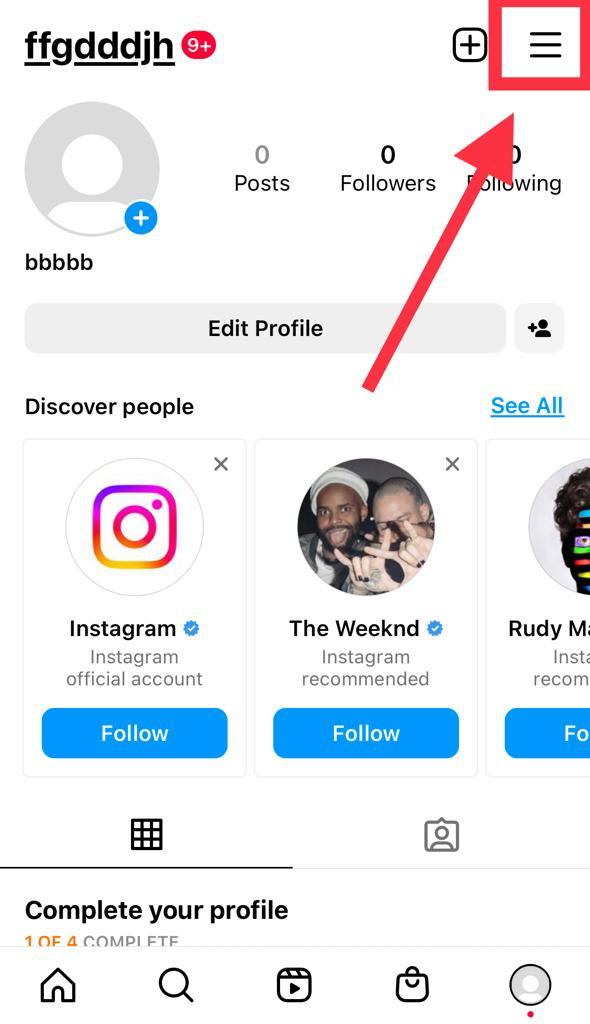
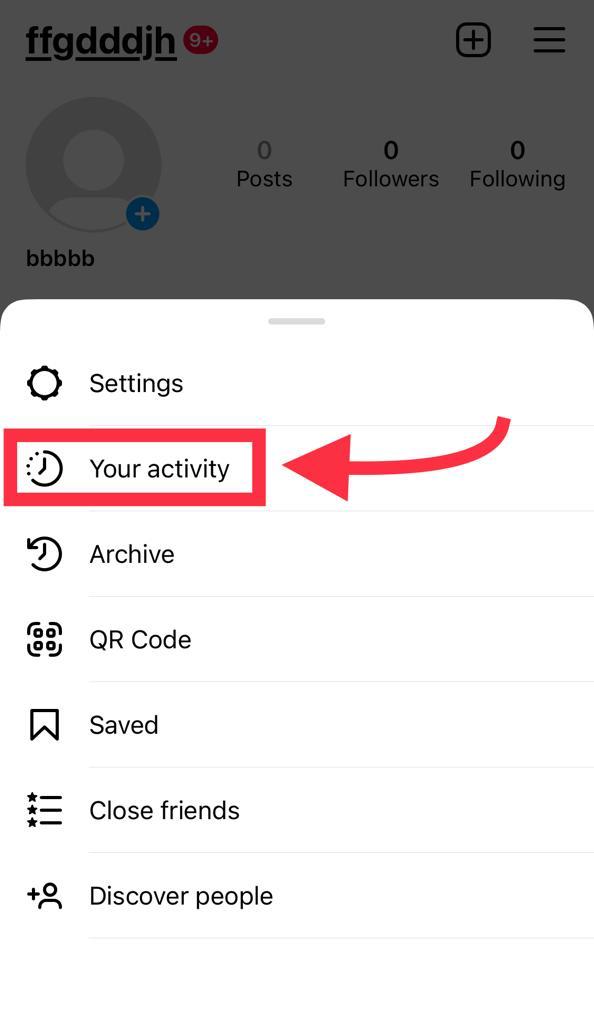
- Open Your Activity: Go to your Instagram profile, tap the three-line menu in the top right corner, and select Your activity.
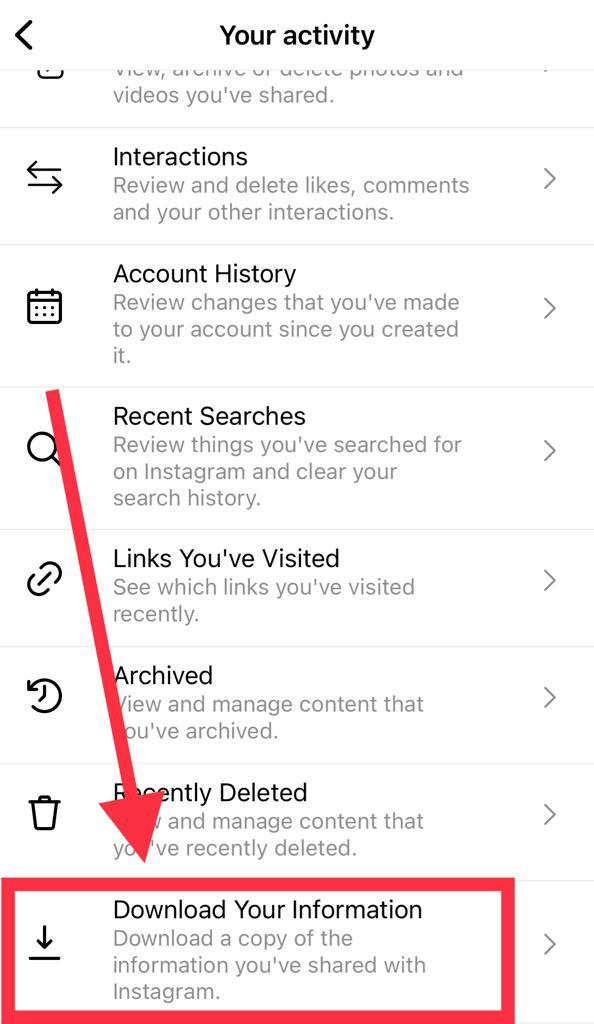
- Request Your Information: Scroll to the very bottom of the Activity menu and tap Download your information.
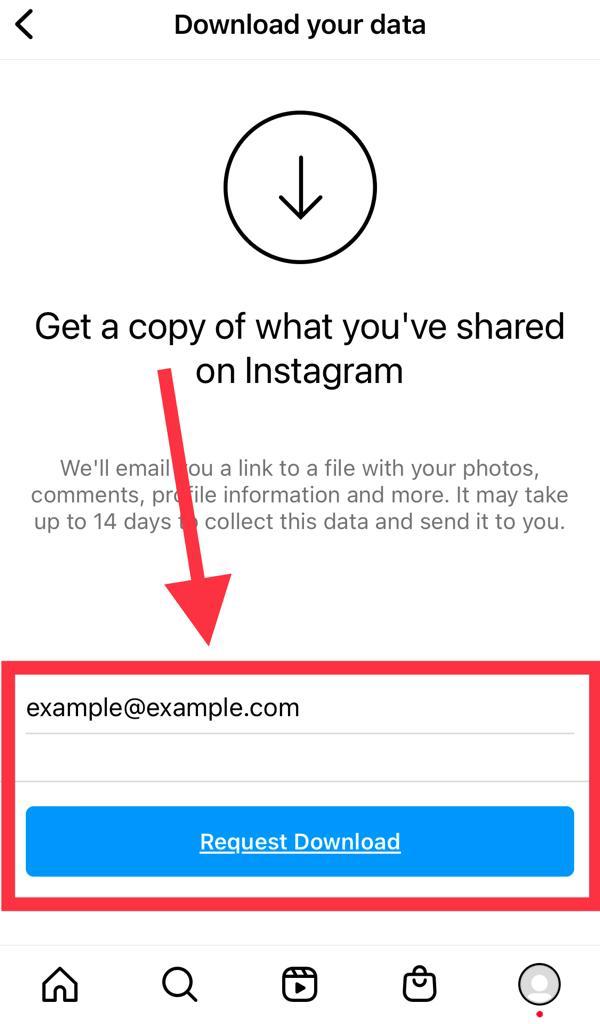
- Enter Your Email: Confirm the email address where you want Instagram to send your data file, and tap "Request Download."
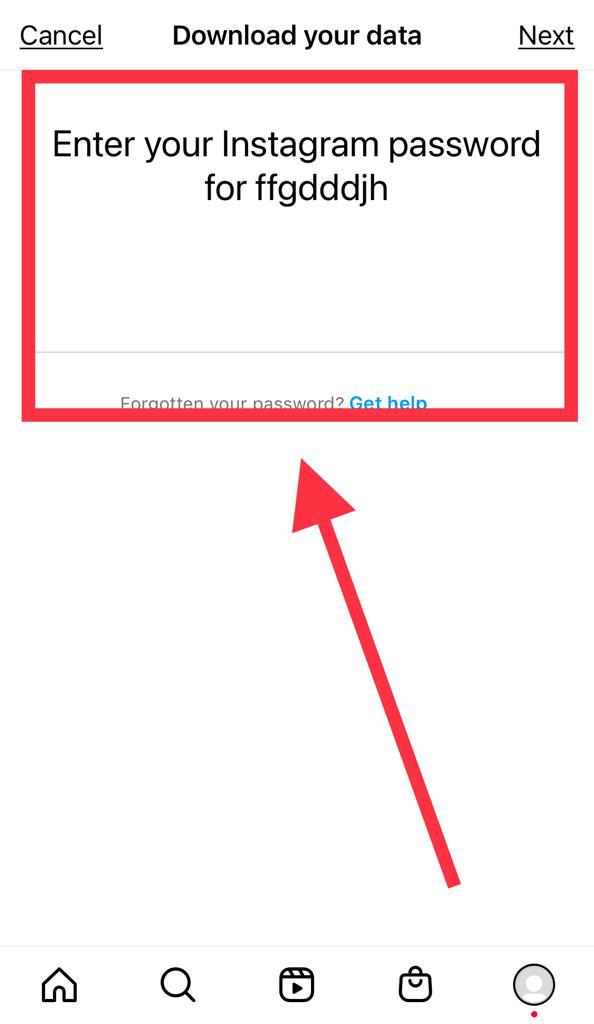
- Verify with Your Password: Enter your Instagram password to confirm your identity.
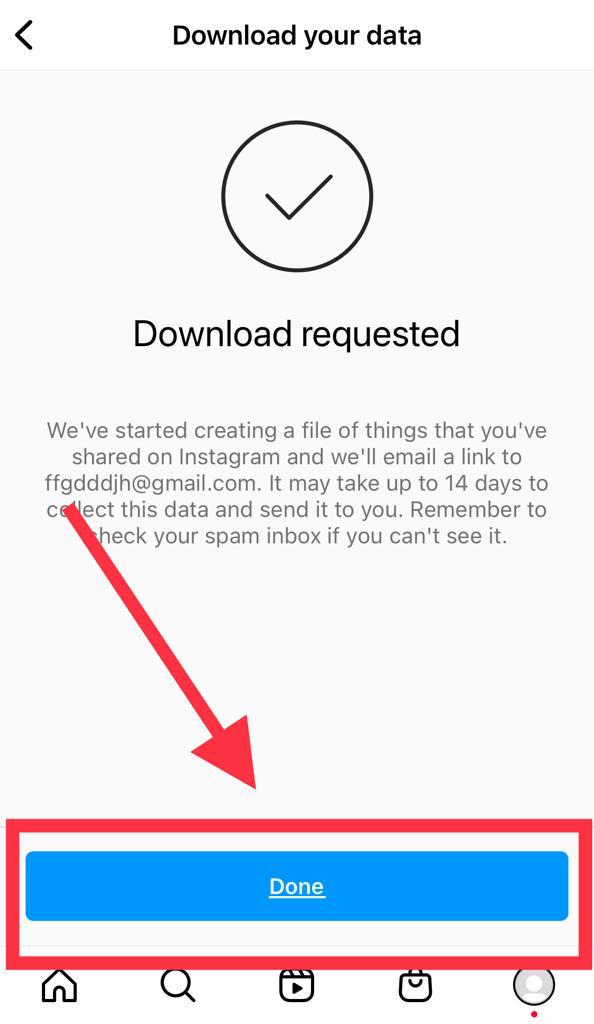
- Wait for the Email: Instagram will process your request. This usually takes a few minutes, but can take up to 48 hours depending on your account size.
- Download the ZIP File: Once the email arrives, click the link to download your data. You may need to log into Instagram via your web browser to authorize the download.
How to Read the File and Cancel Requests
Once you have downloaded the ZIP file to your phone or computer, extract it (unzip it). If you are on a mobile device and cannot open ZIP files natively, you can use a free app like RAR or iZip.
- Open the extracted folder and look for a subfolder named followers_and_following.
- Inside, find the file labeled pending_follow_requests.html (or recent_follow_requests).
- Tap to open this file in your web browser. You will see a plain-text list of every account that has not approved your follow request.
To cancel them: Simply copy the username from the list, search for them in your Instagram app, and tap the Requested button on their profile to withdraw your request. Cleaning up your pending requests is a great way to keep your account's following ratio healthy and algorithm-friendly!


