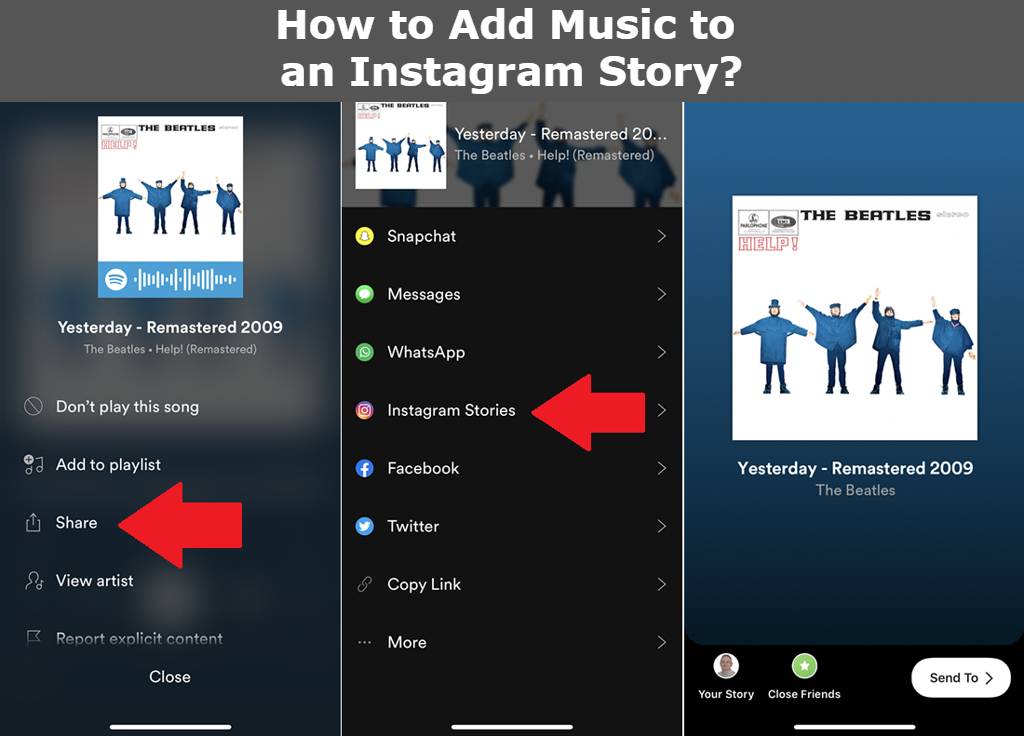
The Power of Audio in Instagram Stories
A silent Instagram Story feels incomplete. Adding the right trending audio or background track completely changes the mood of your photo or video, drastically increasing viewer retention. While adding a song is straightforward, many creators struggle with hidden limitations, like missing popular songs or ugly stickers ruining their aesthetic.
Step-by-Step: Adding the Music Sticker
Here is the standard way to add a soundtrack to your 24-hour Story:
- Open the Instagram camera and snap a photo or upload content from your camera roll.
- Tap the Sticker icon (the smiling square) at the top of your screen.
- Select the Music sticker.
- Search for a specific song or browse the "For You" trending page.
- Once selected, slide the timeline bar at the bottom to choose the exact 15-second snippet you want to play.
Pro Trick: How to Hide the Music Sticker (Invisible Audio)
If you want the music playing in the background but do not want the album cover or lyrics covering up your beautiful photo, use this creator trick: After adding the Music sticker, use your finger to drag the sticker entirely off the edge of the screen. It will disappear from view, but the audio will continue to play perfectly!
Troubleshooting: Why Can't I Find Popular Songs?
If you are searching for a trending pop song but can only find weird, royalty-free elevator music, there is a very specific reason for this: You are using a Business Account.
Due to strict commercial copyright laws, Instagram blocks Business accounts from using popular music. To get the full music library back, go to your Settings and privacy > Creator tools and controls, and switch your account type from "Business" to "Creator." Creator accounts still get full analytics, but they bypass the commercial music restrictions!


